
Onboarding Video Examples: Seven Customer Onboarding Videos From Software Vendors, and What Each Gets Right
Seven real customer onboarding videos from Zendesk, Supabase, GitHub, Pipedrive, Asana, Atlassian and monday.com, one for each kind of onboarding: welcome tour, first setup, first task, role-based and migration. For each: what it does well, what it leaves out, and what to borrow.
Part of our guide to Product Video for Software Companies.
These seven onboarding video examples come from software vendors' own YouTube channels, one or two for each kind of onboarding video: a welcome tour, a first-setup step, a first task, a role-based series and a migration. Each was published between 2024 and 2026 and was live when we checked it on 3 October 2026.
We read each video's title, description, chapters, playlist and English transcript, and scored it on what a new customer needs: a stated starting point, a first result at a moment you can name, a common failure with its fix, links to the written steps, and some way to tell whether it is still current. Timestamps below come from those transcripts. We did not grade the visuals.
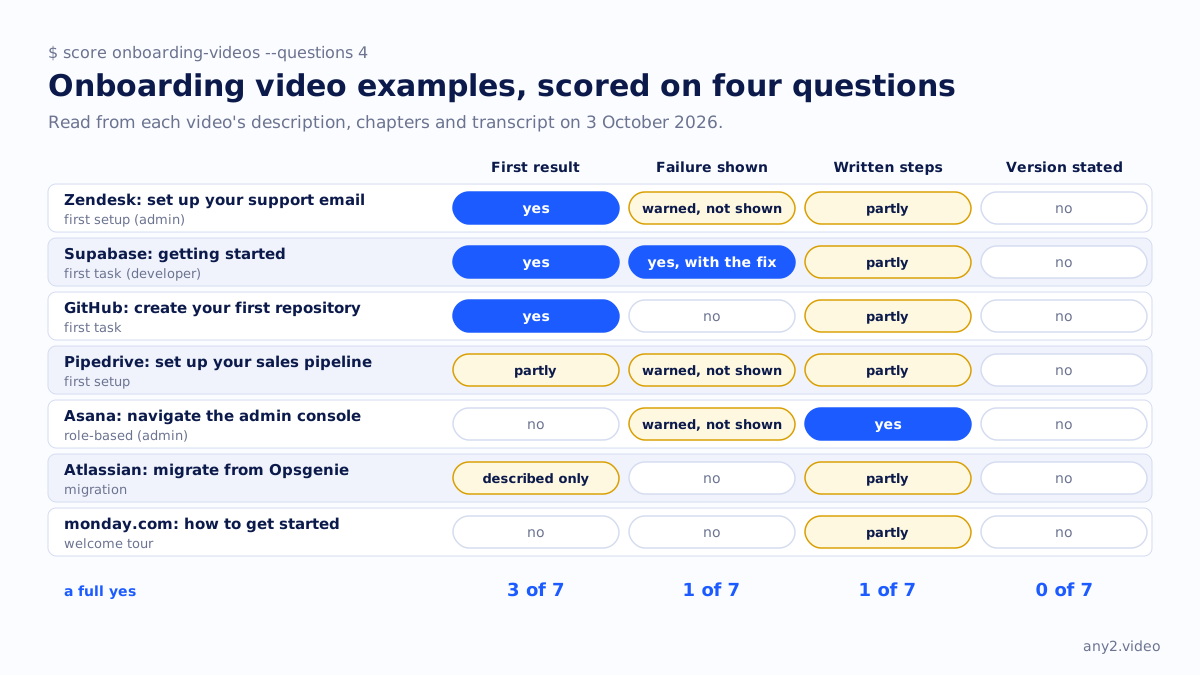
Onboarding video examples at a glance
| Example | Onboarding type | Format | First result | Failure shown | Written steps linked |
|---|---|---|---|---|---|
| Zendesk: set up your support email | First setup (admin) | Step 3 of a numbered setup series | Yes: connection confirmed, then a test email becomes a ticket | Warned about, not shown | Partly: Academy links |
| Supabase: getting started | First task (developer) | Episode 1 of an eight-part series | Yes: first row, first insert, first user | Yes, with the fix | Partly: site and community links |
| GitHub: create your first repository | First task | One episode per task, 16 in the series | Yes, at 2:35 | No | Partly: primers, not the steps |
| Pipedrive: set up your sales pipeline | First setup | One feature per video, 19 in the series | Partly: a new pipeline is created | Warned about, not shown | Partly: course link |
| Asana: navigate the admin console | Role-based (admin) | One admin task per video, 11 in the series | No: orientation only | Warned about, not shown | Yes: two help articles |
| Atlassian: Opsgenie to Jira Service Management | Migration | One video with chapters | Described, not shown | No | Partly: FAQ and community |
| monday.com: how to get started | Welcome tour | Episode 1 of a 20-part series | No: a tour of features | No | Partly: help centre link |
First setup: Zendesk, "Set up your customer support email"
This is step 3 of Zendesk 101, a playlist that opens with an overview and then numbers the admin setup in order: add an agent, manage the team, set up email, assign tickets, set up messaging, set up the help centre. Before the first click it says which connection option suits which kind of mailbox and warns against connecting an alias or distribution group. It then proves success the way a new admin would want: the connection is confirmed at 2:11, and a test email sent as a customer turns into a ticket at 2:39.
What to borrow: number the setup steps, and end each one on a test that shows the thing working. What it leaves out: the alias problem is warned about but never shown, so an admin who hits it still has to search.
 3:44
3:44
First task: Supabase, "Getting Started with Supabase"
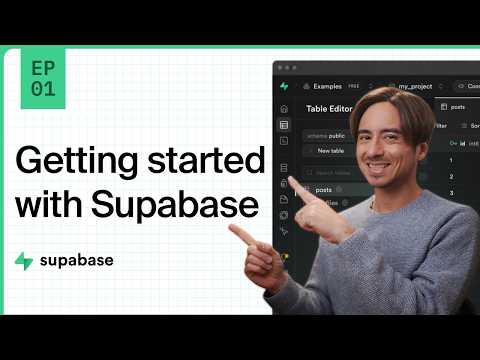
The only example here that shows a real first-time failure. The developer creates a project and a table, connects a demo app, and runs a query that comes back empty at 4:33, because row level security is on with no policies. The video explains why, switches it off for development with a warning about production, and from 9:55 turns it back on with policies. A new user who hits the same empty result knows exactly what happened.
What to borrow: walk into the failure every new user hits, on purpose, and fix it on camera. What it leaves out: no link to a written quickstart with the same steps, and no SDK or dashboard version, only the upload date.
 12:30
12:30
First task: GitHub, "How to create your first GitHub repository"
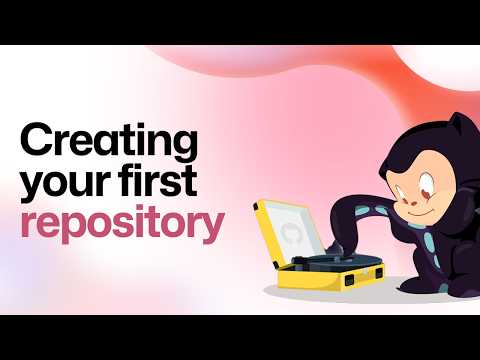
GitHub for Beginners splits onboarding one task per episode, 16 in all, from what Git is to contributing to open source. This episode opens by naming the viewer's exact starting state, a brand-new account, and reaches its first result at 2:35, when the repository exists. It is the clearest example here of a first line that tells viewers whether the video is for them.
What to borrow: start with the viewer's situation in one sentence, and finish the first task in minutes. What it leaves out: the description links to primers on Git, not to written steps for this task.
 9:31
9:31
First setup: Pipedrive, "How to Set Up Your Sales Pipeline"
In a CRM the pipeline stages shape everything after them, so this is the right first setup task. The video flags two constraints before a new user hits them: editing stages needs admin rights, and the first pipeline cannot be deleted. It creates a new pipeline at 1:44 and points to a full getting-started course. It starts inside an account that already has deals, so a brand-new user does not see their own empty starting point.
Role-based: Asana, "How to navigate the Asana admin console"
Part of an eleven-video admin series, one admin task per video. It states who the console is for and how to open it, and sorts the tabs by when an admin needs them. It changes no setting, so there is no first result; its strength is the description, which links two help-centre articles with the written detail. Borrow the structure: a separate series for each role, linked to written help.
Migration: Atlassian, "Migrate from Opsgenie to Jira Service Management"
Migration onboarding is the hardest kind, because the viewer already knows another tool. This video maps the old product's features to their new home and sets expectations about the process. The migration itself is described in narration rather than performed, so a viewer sees what will happen but not the screens they will meet. It is a useful contrast with the first-task examples above.
Welcome tour: monday.com, "How to get started"
Episode 1 of a twenty-part getting-started series: a chaptered three-and-a-half-minute tour of the product's core objects, starting with boards. It orients a new user quickly. It does not get them to a first result, which the rest of the series is there to do. A welcome tour works best as the first item in a list of task videos, which is how monday.com uses it.
What makes a good onboarding video?
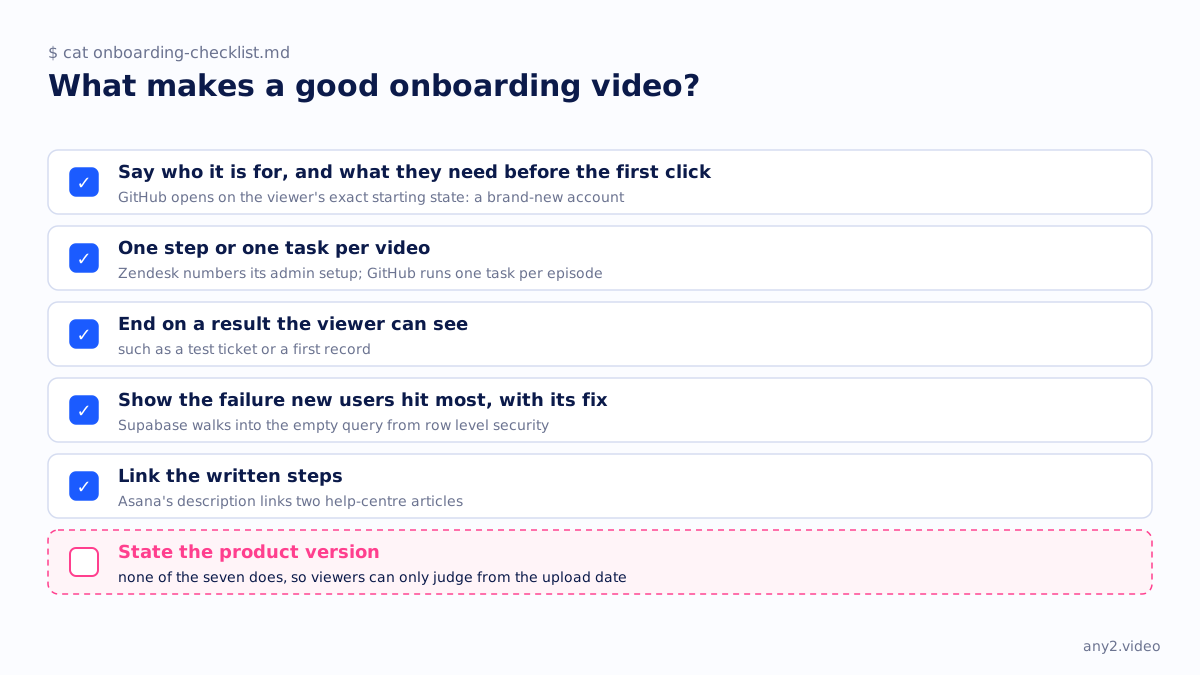
From these seven, five things: say who the video is for and what they need before the first click; take one step or one task per video; end on a result the viewer can see, such as a test ticket or a first record; show the failure new users hit most, with its fix; and link the written steps. None of the seven states a product version, so viewers can only judge whether a video is current from its upload date.
What is the difference between customer onboarding videos and training videos?
Customer onboarding videos get a new user from sign-up to a first useful result, usually in the first days. Training videos build skill across the product over time, usually for existing users or a specific role. Asana's admin series sits between the two. Our note on instructional video production for software covers the training side.
Making your own
Start with the first task your customers come for, write the starting state and the finish line, and keep the failure in. Our software demo script template has a field for each, and the Proxmox VE 9.2 install in our library shows a first-setup video that states its version and keeps two failures. The page for SaaS onboarding teams covers how this fits a customer education programme.
Want your first-task onboarding video recorded on the current version, failure included? Send us the task. The first sample is free.
$ get-sample →