
How to Make a Marketing Video for a Software Product, Step by Step, Recorded From a Real Run
Five steps, one task and no studio. How to record a marketing video of your software finishing a real job, what to keep when it goes wrong, and what the whole thing costs.
Part of our guide to Product Video for Software Companies.
Most guides to making a marketing video begin with storyboards and a shot list. That advice suits a brand film. For software, the footage worth having is something the product does, which you cannot design in advance, so your job is to have the recorder running when it happens.
Below is the process we use. A first video takes an afternoon, later ones take less once the environment exists, and you need no camera, studio or presenter.
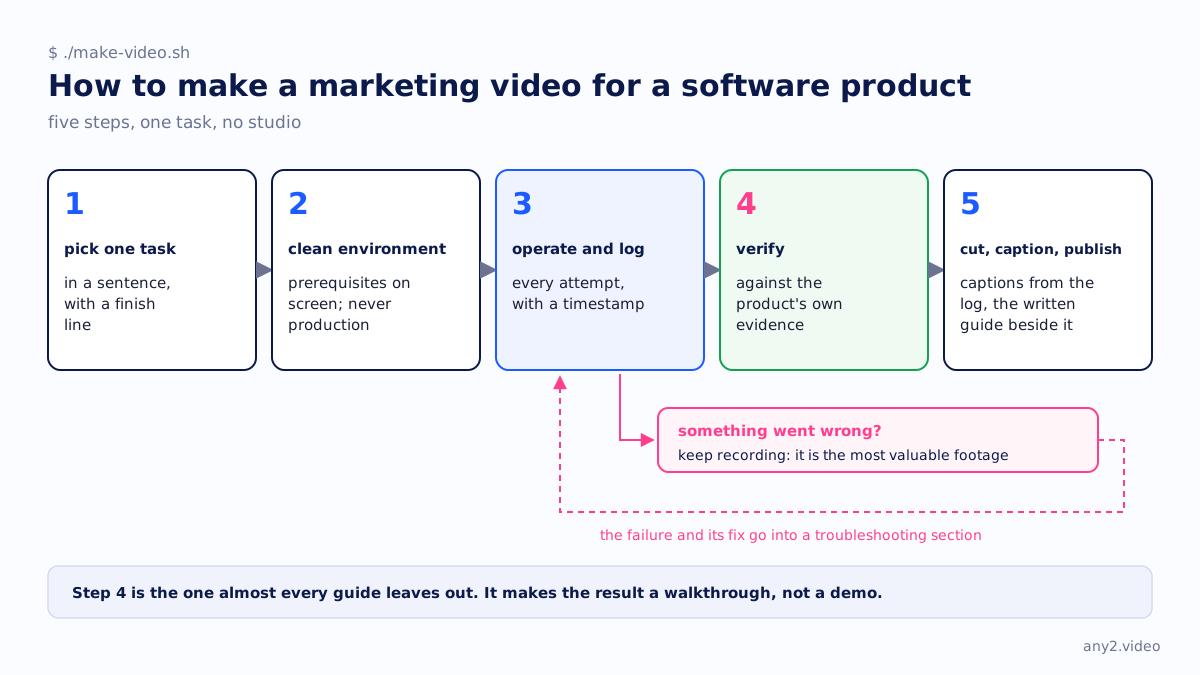
Step 1: pick one task and write it in a sentence
Choose a single task rather than a tour or a set of features. A good task has a moment you can point to where it finishes.
- "Alert me when any product drops below twenty in stock" works, because it finishes when the alert arrives.
- "Restore a single file from last night's backup" works too. It finishes when the file matches the original.
- "Show the reporting module" does not work. Nothing finishes, so there is nothing to film or verify.
- "Set up the account, import data and build a dashboard" is three videos squeezed into one.
Take the task from your support queue instead of your roadmap. The question your team answers most often already has an audience, and since you know the answer, the recording goes quickly.
Step 2: build a clean environment and state the prerequisites
Record in an environment that looks like your viewer's. The demo tenant your team has been grooming for two years, full of perfect sample data, is a big part of why viewers do not believe demos.
Before you touch anything, put the prerequisites on screen: the product version, the account type and permissions, any dependency that must already exist, and roughly how much free space or quota the task needs. Thirty seconds of prerequisites prevents the most common problem with published walkthroughs, where a viewer follows along and hits a wall the recording never mentioned.
Do not record against production under any circumstances. A trial or demo tenant is enough, and the restriction keeps you honest about what a new customer sees.
Step 3: operate, and log every attempt
Start the screen recording before the task and leave it running, including when something goes wrong. That footage is the most valuable thing you will capture all day, and deleting it makes the video worse.
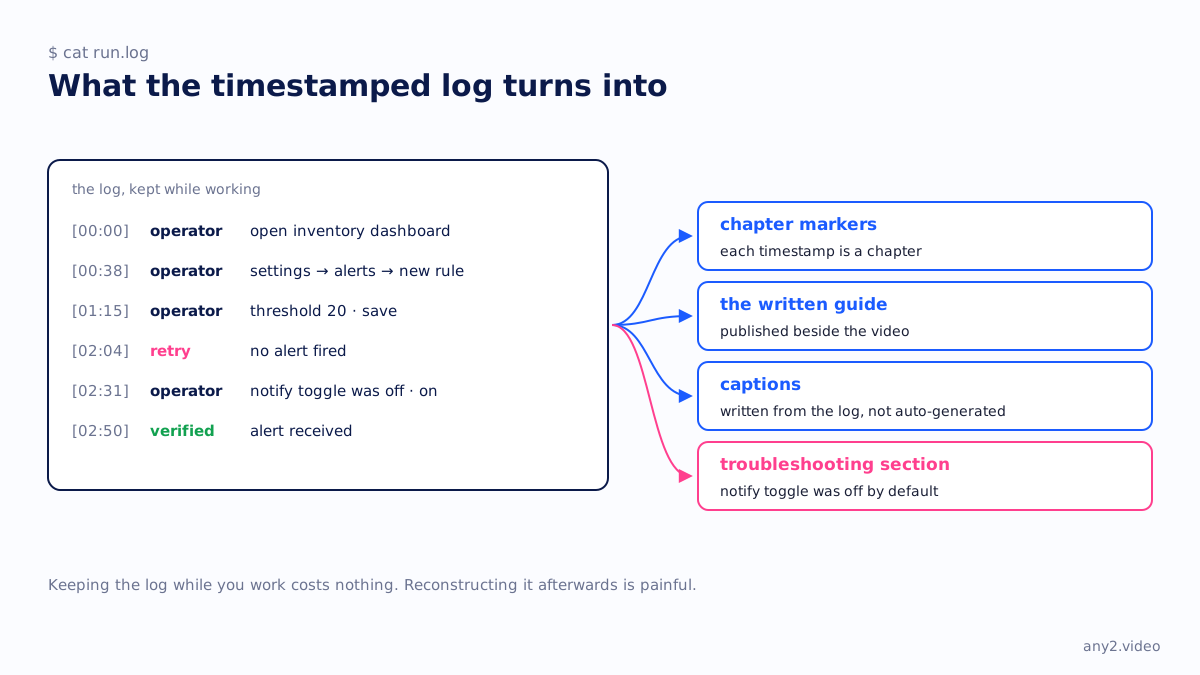
Keep a written log next to the recording, with a timestamp for each step. It looks like this:
[00:00] operator  open inventory dashboard
[00:38] operator  settings → alerts → new rule
[01:15] operator  threshold 20 · save
[02:04] retry     no alert fired
[02:31] operator  notify toggle was off · on
[02:50] verified  alert received
The log turns into the chapter markers, the written guide and the troubleshooting section. Keeping it while you work costs nothing, and reconstructing it afterwards is painful.
Step 4: verify against the product's own evidence
Almost every guide leaves this step out, and it is what makes the result a walkthrough instead of a demo.
When the task finishes, check the result against something the product produced independently of the screen you were clicking on, rather than taking your own word for it.
- The file is in the bucket and its checksum matches the original.
- The alert arrived in the inbox with the value you expected.
- The restored machine boots and you can log into it.
- The record appears in the API response as well as in the UI that wrote it.
Show that evidence on screen. It takes about four seconds of footage, and it turns a video of a button being clicked into a video of a job getting done.
Step 5: cut, caption, publish
Cut the dead air and leave everything else. Keep the pauses where the product was working, since they show how long the task really takes, and a viewer planning a migration needs to know that.
Every video needs captions. Plenty of viewing happens with the sound off, and captions are the only part of the video a search engine or a language model can read. Write them from the log, because auto-generated captions mangle the product names you care about.
Publish the written guide beside the video. Some people would rather read, and the guide is what shows up in search results and gets cited in answers.
Keep the failure
The polished take shows that someone who already knew how can do the task. The failed take shows that someone who did not know can do it too.
Add a troubleshooting section that lists what went wrong before it worked, with the fix. In the example above, the alert did not fire because a notify toggle was off by default. That one line is worth more than the other five minutes together, because a user will run into exactly that at eleven at night and search for it.
The Proxmox VE 9.2 install walkthrough shows this in practice. Its two documented failures are the whole-disk warning and the network screen, which are the two places people go wrong.
What it costs
An internal team spends half a day on the first video while building the environment and the habit, and roughly ninety minutes per task after that, most of it recording. Production is cheap. The engineer's afternoon is the expensive part, which is why the fifth video usually never gets made.
If you would rather not spend those afternoons, that is the service this site sells, and the first sample is free. The method above is the same whether we run it or you do.
A checklist you can copy
- One task with a finish line you can name
- Prerequisites on screen before anything is clicked
- A clean environment, never production
- Recording started before the task and still running after it fails
- A timestamped log kept while working
- The result verified against evidence the product produced
- Captions written from the log instead of auto-generated
- Failures kept, with their fixes, in a troubleshooting section
- A version tag recorded so you know when to re-run it
Or send one product and one task, and watch someone else spend the afternoon. First sample is free.
$ get-sample →