
10 Things a Product Video Must Show Before a Technical Buyer Trusts It: A Checklist Against a Real Walkthrough
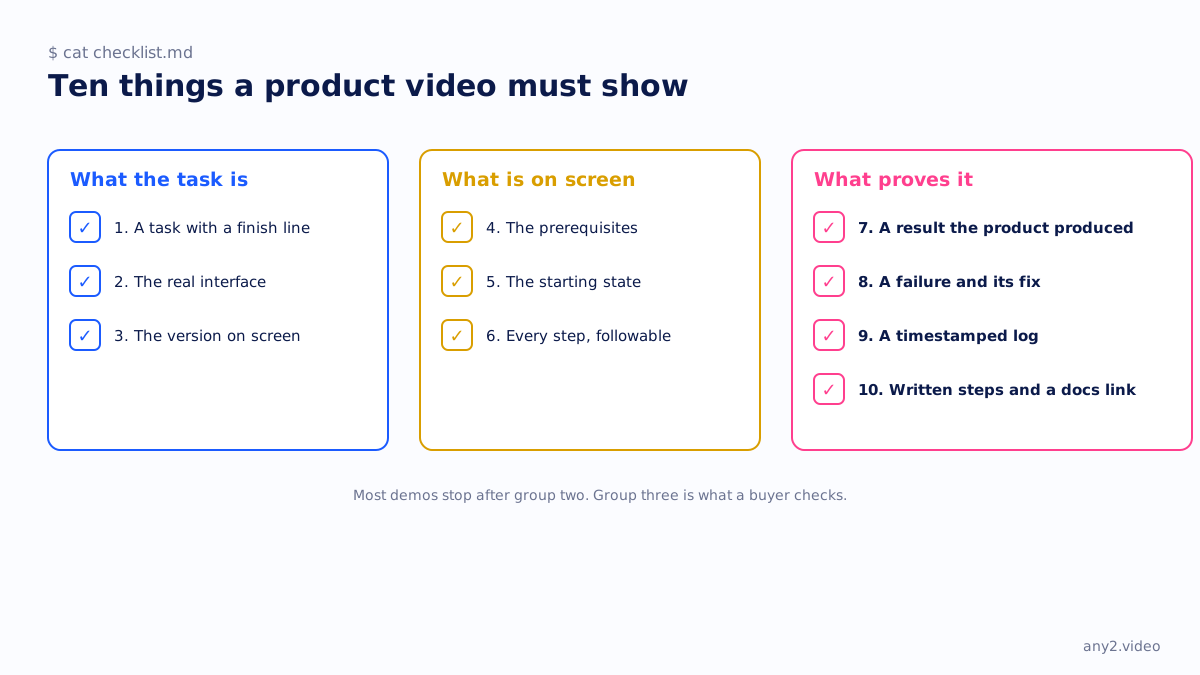
What a product video must show before a technical buyer trusts it: a task with a finish line, the real interface, the version, the prerequisites, the starting state, every step at a followable pace, a result the product produced, a kept failure with its fix, a timestamped log, and written steps beside it. Ten items, each checked against the published Proxmox VE 9.2 install.
Part of our guide to Product Video for Software Companies.
What a product video must show before a technical buyer trusts it is a short list, and almost no product video shows all of it. It needs a task that finishes, the real interface, the version, the prerequisites, a result the product itself produced, and a failure with what fixed it. This page is that list as ten items, with where each one appears in a real seven-minute walkthrough, so you can check your own videos against something that exists rather than against an opinion.
The ten items are the rubric we use on our own library and on the software demo video examples we score. They are what a buyer who has been burned by a demo looks for, usually without being able to say so.
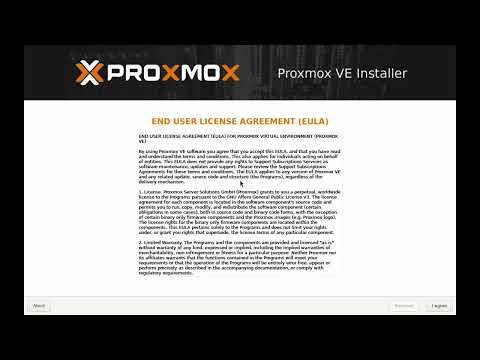 7:50
7:50
The ten things, and where the Proxmox run shows each
| Must show | Why a buyer needs it | In the Proxmox VE 9.2 run |
|---|---|---|
| 1. A task with a finish line | So they can name the moment the job is done | Install Proxmox VE 9.2 on a blank machine, ending at the web interface |
| 2. The real interface | A drawing of a product proves nothing | The installer and the web console, as captured |
| 3. The version on screen | So they know how old the footage is | 9.2, in the title, the frame and the run record |
| 4. The prerequisites | So they do not hit a wall at step one | A blank machine; the installer takes the whole disk |
| 5. The starting state | So they know where to begin | The ISO downloaded and its checksum verified, at 01:23 |
| 6. Every step at a followable pace | So they can do it alongside | The network screen, field by field, at 04:59 |
| 7. A result the product produced | A narrator saying it worked is a claim | The web interface reachable on the address set at install, at 06:35 |
| 8. A failure and its fix | So they know it was a real run | Two kept attempts: the whole-disk surprise and the unreachable web interface |
| 9. A timestamped log | So the captions and steps are from the run | Five log lines from 01:23 to 06:35, operator and verified entries |
| 10. Written steps and a docs link | So they can act on it | The guide and the troubleshooting section beside the video |
What the task is
1. A task with a finish line
Before trust comes attention, and attention needs a job to follow. "Restore a VM from last night's backup" holds a viewer because they want to see whether it restores; "here is the dashboard" does not, because nothing can go wrong. State the task in the first ten seconds and make the finish line something the viewer can see. If you cannot write the finish line as a sentence, the video is a tour, and tours are the first of the twelve demo mistakes.
2. The real interface
Not a mock, not a redrawn screen, not an interactive capture of last quarter's UI. The product, as it is. Technical buyers can tell a mock interface from a recording within seconds, by the way the cursor never misses and the data never waits, and once they have decided they are watching a drawing they stop treating anything in it as true. Our comparison of video styles goes through which styles can show the product and which cannot.
3. The version on screen
A version number is the cheapest trust signal there is. It tells the viewer how old the footage is, which release it applies to, and whether the button they are looking for still exists. Put it in the title, the frame and the description. It also commits you to the tenth item on this list, because a version you have stated is a version you can be held to.
What is on screen
4. The prerequisites
What must already exist before step one: the account type, the permissions, the dependencies, the things that cannot be undone. The Proxmox installer takes the entire disk and cannot dual boot, which is exactly the kind of prerequisite a viewer wants to hear before they click, not after. Say it on screen, early.
5. The starting state
Show where the task begins, not where it gets interesting. In the reference run that is the ISO downloaded and its checksum verified, which is dull and is also the step most people skip and later regret. A video that starts in the middle is a video the viewer cannot start.
6. Every step at a followable pace
The cursor visible, the small controls zoomed, every field filled on screen. "Fill in the network screen, one field at a time" is a followable step; "configure networking" is not. Our guide to writing step-by-step instructions uses the same run as its worked example, so the written steps and the video agree.
What proves it
7. A result the product produced
The narrator saying the install worked is a claim. The web interface answering on the address that was typed into the network screen is evidence, because the product produced it and the viewer can see the address match. End on the evidence, and make it the kind of evidence the viewer could reproduce: a file that exists, an alert that arrives, a service that answers.
8. A failure and its fix
This is the item that separates a run from a performance. The reference run keeps two: the surprise that the installer takes the whole disk, and an install that completed with an unreachable web interface, traced to the network screen. Both are in the troubleshooting section with their fixes. A buyer who sees a failure handled knows the operator did not already know the answer, and knows what to do when the same thing happens to them. What a verified walkthrough proves is the long version of this point.
9. A timestamped log
A log kept during the run, with who acted and when, is what makes the other nine checkable. It becomes the chapter list, the captions and the written guide, and it lets a viewer jump to the step they are stuck on. The published log for the reference run has five entries, from the checksum at 01:23 to the verified web interface at 06:35, and the troubleshooting attempts are recorded against it.
10. Written steps and a docs link
A video nobody can act on is entertainment. Put the steps beside it, in the same order, with the same words, and link into the real documentation for the parts the video did not cover. The troubleshooting section lives here too. It is the part a tidy editor deletes first, and the part that stops the support tickets.
What makes a product demo video credible?
Evidence the viewer can check: the real interface, a stated version, a result the product itself produced, and a failure that was kept in with its fix. Production quality adds polish; none of it adds credibility, and a very polished demo with no evidence reads as a performance.
How long should a product video be?
As long as the task. The reference run is seven minutes and fifty seconds because installing Proxmox VE takes that long with the network screen filled in field by field. Cut the dead air and the waiting, keep every step and the failure, and the length takes care of itself. A short that drops steps is not a shorter version of the task; it is a different video.
Do buyers actually watch the failure?
We cannot tell you how many do; the site launched in September 2026 and we do not publish numbers we do not have. What we can say is what the failure is for: it is proof the run was real and a rehearsal for the viewer's own first attempt. Buyers who skip it lose nothing. Buyers who hit the same wall find the fix already recorded.
Want your product checked against all ten? Send one task. We record it on the real product, with the log and the failures, and the first sample is free.
$ get-sample →