
Subtitles vs Closed Captions: The Difference, and Which a Product Video Needs
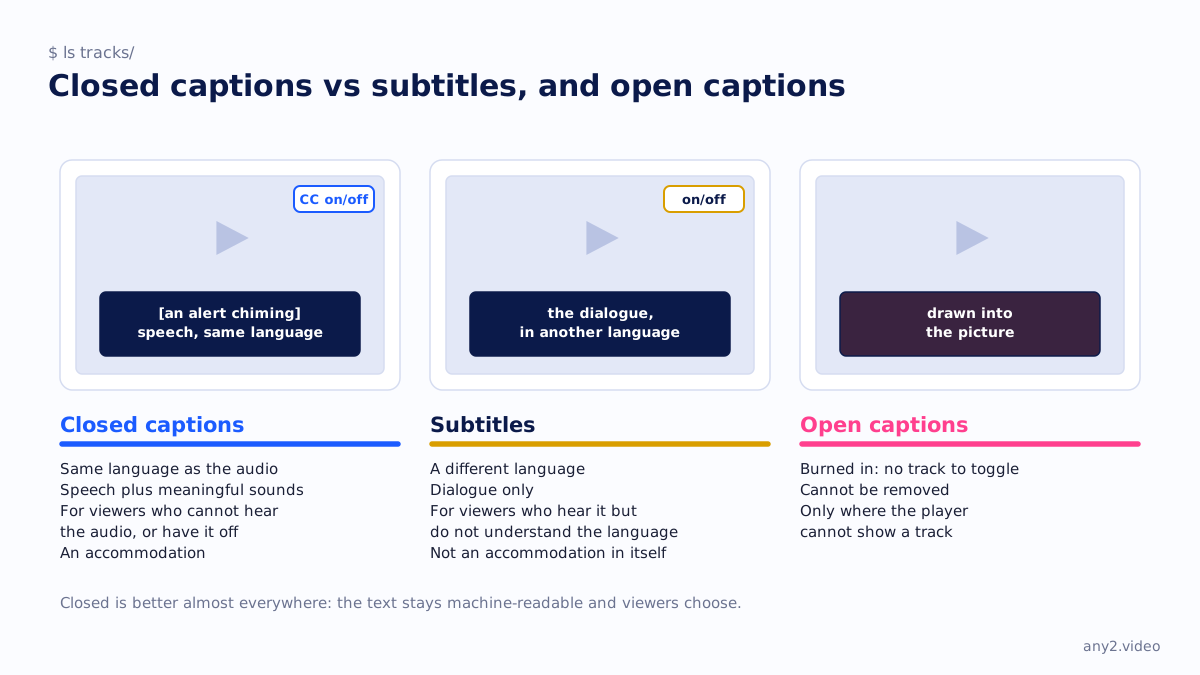
Closed captions are a text version of a video's audio in the same language, including speech and meaningful sounds, that the viewer can switch on or off. Subtitles are a translation of the dialogue into another language for viewers who can hear the audio but do not speak it.
The difference in one table
| Closed captions | Subtitles | |
|---|---|---|
| Language | Same as the audio | A different language |
| Includes sounds | Yes: a door closing, an alert chiming | No, dialogue only |
| Made for | Viewers who cannot hear the audio, or have it off | Viewers who hear it but do not understand the language |
| Closed or open | Closed: switchable. Open captions are burned into the picture | Usually switchable; burned-in subtitles exist too |
| Accessibility | An accommodation | Translated subtitles are not, in themselves, an accommodation |
The W3C's guidance on captions draws the line: captions are in the audio's language, subtitles are a translation, and translated subtitles are not directly an accessibility accommodation. In everyday British usage "subtitles" covers both, which is where most confusion starts.
What a product video needs
Both, and for different reasons. Captions make a walkthrough usable with the sound off, which is how most people watch a video embedded in documentation, and they are what search engines and AI assistants read when they index the page. Subtitles let one recording serve another market without a dub. In a screen recording the interface stays in English whatever the subtitle says, so a subtitle that quotes the on-screen label beside the translated term is more useful than a pure translation.
Where auto-captions go wrong
Automatic captions are good at speech and poor at the words a technical video is made of: product names, commands, version numbers. A caption that renders "kubectl" as "cube control" is worse than none for someone following along. Check the generated file against a term list before publishing, or keep a termbase and apply it, which is how AI dubbing tools handle technical terms. The Proxmox VE 9.2 install in our library ships with checked captions for that reason.
Closed versus open
Closed captions live in a separate track the player can toggle; open captions are drawn into the picture and cannot be removed. Closed is better almost everywhere, because it keeps the text machine-readable and lets viewers choose. Open captions make sense only where the player cannot show a track, such as a video posted as a plain file in a chat.
Questions
What does closed captions mean?
Captions the viewer can switch on or off, carried as a separate text track rather than burned into the picture. The "closed" means hidden until enabled.
Are subtitles and captions the same thing?
Not formally. Captions transcribe the audio in its own language and include sounds; subtitles translate the dialogue into another language. In British everyday usage the word subtitles covers both.
Which should a software tutorial have?
Captions in the recording's language first, checked for product terms, so the video works with the sound off and can be indexed. Add subtitles per market after that.
What is the difference between closed captions and open captions?
Closed captions are a toggleable track; open captions are burned into the video frames and cannot be turned off.
See one, with its run log and the attempts that failed.
$ cd /library →