
Creative Brief Template for Video: A Free One-Page Video Brief for Product and Explainer Videos (PDF and Word)
A creative brief template for video: twelve fields on one page that settle the message, the audience, where the video runs, the product version, the finish line and who signs it off, before anyone opens a recorder. Free as PDF and Word, with a filled-in example.
Part of our guide to Product Video for Software Companies.
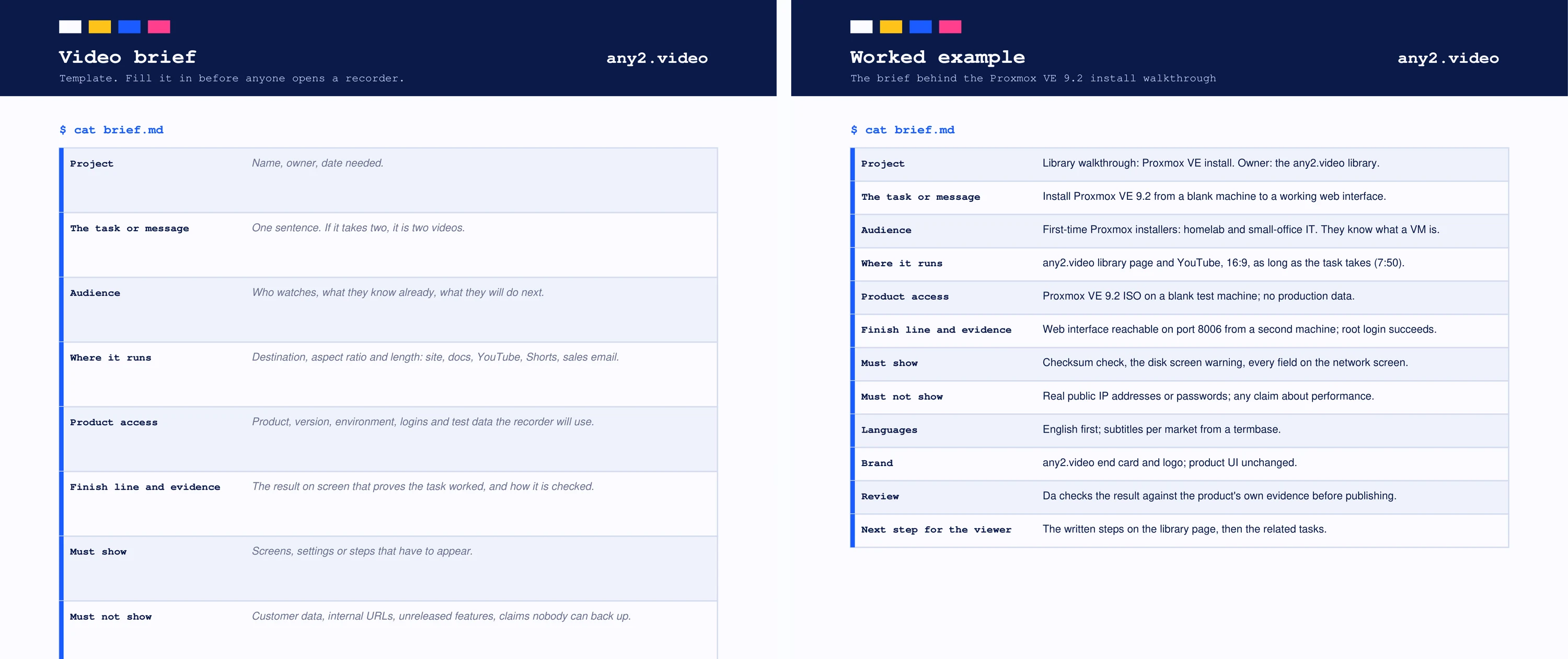
This creative brief template is written for video, and specifically for product, explainer and tutorial videos where something real has to appear on screen. It is one page with twelve fields, from the one-sentence message to who signs the video off, and a second page with every field filled in from a real brief. Download it as PDF or Word at the end of this page.
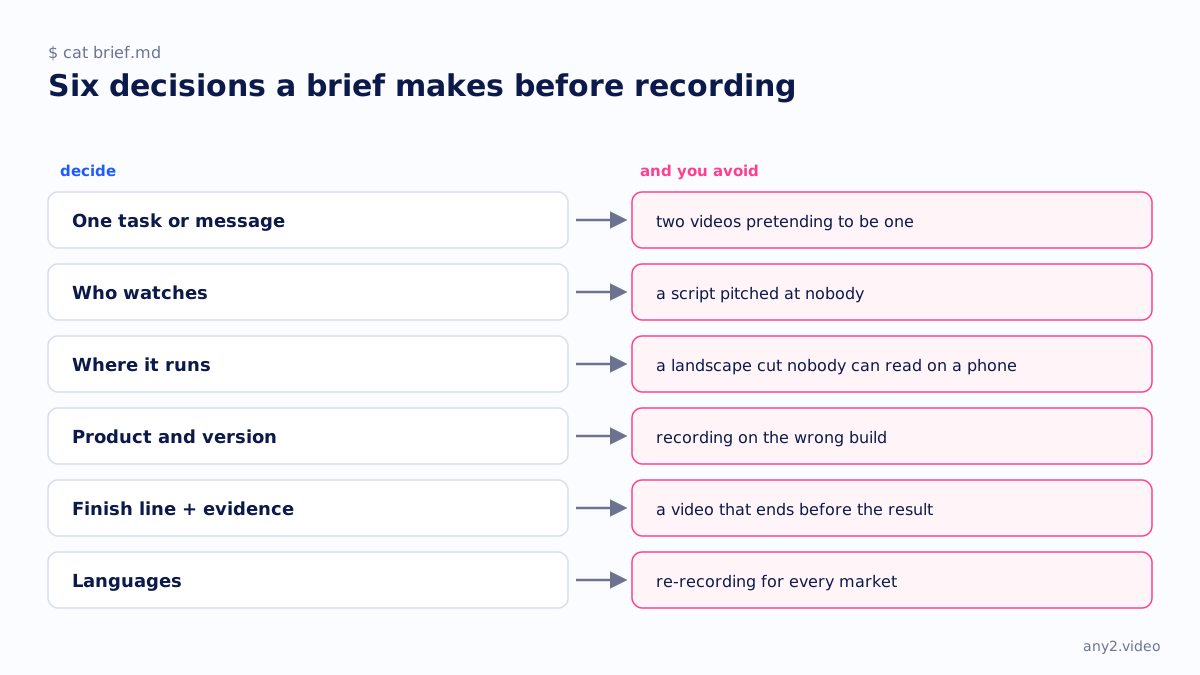
A general creative brief template covers objectives, audience, tone and deliverables. A video brief needs more: where the video runs decides its shape, the product version decides when it goes out of date, and the finish line decides whether it proves anything. Those are the fields that general templates leave out.
What is a creative brief for video?
A creative brief for video is a short document, usually one page, that states what a video must say, to whom, where it will run and how anyone will know it is finished, agreed before production starts. It stops the most expensive kind of rework: discovering after the edit that the video answered a different question than the one the team had in mind.
What should a video brief include?
Twelve things: the project and owner, the one task or message, the audience, where it runs, product access and version, the finish line and its evidence, what must be shown, what must not be shown, languages, brand assets, who reviews it, and the viewer's next step. Each is a field on the template, with a one-line hint of what belongs there.
| Field | What it settles |
|---|---|
| Project | Name, owner and date needed |
| The task or message | One sentence; two sentences means two videos |
| Audience | Who watches, what they know, what they do next |
| Where it runs | Destination, aspect ratio and length |
| Product access | Product, version, environment, logins and test data |
| Finish line and evidence | The result on screen that proves the task worked |
| Must show | Screens, settings or steps that have to appear |
| Must not show | Customer data, internal URLs, unreleased features, unsupported claims |
| Languages | Decided before recording, not after |
| Brand | Logo, colours, fonts and voice, attached as files |
| Review | Who signs it off, against what, by when |
| Next step for the viewer | One link or action at the end |
How do you write a creative brief for a video?
Start with the one sentence: the task the viewer will see finished, or the single message they should remember. If you cannot write it in one sentence, stop and split the video. Then fill the fields in order, leaving none blank: a blank field is a decision someone will make later, in the edit, without you. Have the person who will sign the video off read the brief before production starts.
Creative brief example
Page two of the download is the brief behind the Proxmox VE 9.2 install in our library. The message is the task: install Proxmox VE 9.2 from a blank machine to a working web interface. It runs on the library page and YouTube in 16:9 for as long as the task takes. The finish line is the web interface reachable on port 8006 from a second machine, and the review is a check against that evidence before publishing.
The must-not-show field is the one teams forget. In this example it rules out real public IP addresses, passwords and any claim about performance, because the video can show none of those honestly.
How is a video brief different from a demo script?
The brief decides what the video is for; the script decides what happens in it, scene by scene. Write the brief first and get it agreed, then write the script from a real run of the task. Our software demo script template is the second step, and it shares the same worked example so you can see how one turns into the other.
Using the template
Fill in the Word file, or print the PDF and write on it. Keep the brief with the finished video: when the product ships a new version, the version field is how you find the videos that need a re-run. Our note on briefing a walkthrough in one sentence covers the first field in more depth, and what an explainer video is covers the format most briefs end up describing.
Brief written? Send us the one sentence and we will run the task on the real product. The first sample is free.
$ get-sample →