
3D videos for infrastructure and maps
A 3D infrastructure video rebuilds racks, a homelab or a network from a spreadsheet and shows it from angles no camera can reach, from one shelf to links across continents. An infrastructure or hardware company should use one when what it sells is physical, spread out or invisible, and photos of a server room say nothing. Everything shown is a model, labelled as one.
When to use it
| Who | The situation | Why this style fits |
|---|---|---|
| Colocation or data centre provider | Prospects ask how the site stays up when a power feed or a network link fails, and cannot visit. | A model can show the failure path through power or network without a site visit, labelled as a simulation. |
| DCIM or monitoring vendor | Needs to show what the product models before a buyer has loaded any data. | A rack list turned into a 3D room shows the idea of the product on a demo estate, which is honest as long as it is labelled demo data. |
| Hardware brand with an enthusiast following | Wants content for a community that shares photos and parts lists of its own setups. | Rebuilding community setups in 3D from their parts lists gives that community something to recognise and argue about. |
| Network or cloud vendor | Has to explain regions, routes and what happens when a link between them is cut. | A globe with sites and links makes a topology argument quickly, and a cut link shows dependence more clearly than a static diagram. |
| Sales engineer on a large infrastructure deal | The customer's architecture review needs a picture of the proposed estate. | A model built from the customer's own rack and network list gives the review one shared picture to discuss. |
Examples
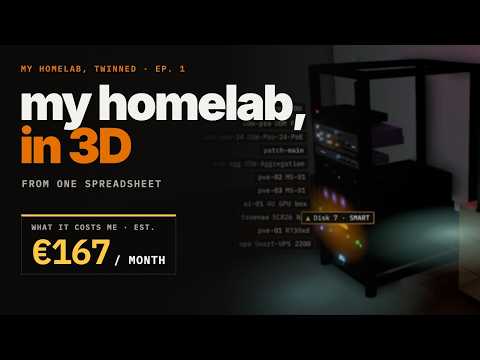 4:01
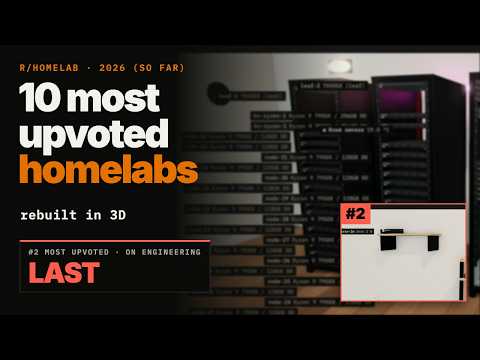 9:17
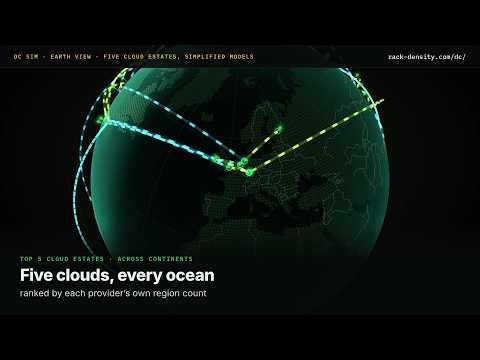 3:50
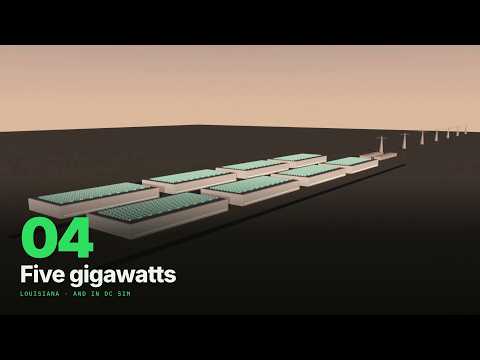 4:17
When to use something else
- Proving that software works. A 3D model shows a design, not a running product; a verified walkthrough is the better choice when the job is to show the software doing the task.
- Measured performance or outage figures. Numbers in a 3D what-if are estimates on a model; for measured data use animated chart shorts with a named source.
- Software with no physical side. If there is no rack, room or route to show, 3D is decoration; an explainer is plainer.
What goes into one
- About two to ten minutes, from a single fly-in to a tour of several setups.
- Landscape 16:9 for YouTube and event screens, vertical 9:16 for short cuts, at 1080p.
- From you: a spreadsheet of rooms, racks, devices, power and links, or the go-ahead to use a representative demo estate.
- Every simulated number labelled as an estimate on screen.
- Narration and captions in the languages you ask for.
How we make it
- Tell us what to show: a rack, a homelab, a site or a route between sites.
- Send the list of parts, racks or links; we build the model and choose the camera path.
- We render the fly-ins and any what-if you pick, at 1080p.
- You get the MP4 with narration and captions. More on the format on our 3D video page.
Questions
Can you make a 3D video from a spreadsheet?
Yes. A list of racks, devices, power and network links, the kind of thing a DCIM export or an asset register holds, is enough to build the model. Where you cannot share real data, we use a representative demo estate and say so in the video. Detail that is not in the list is not invented; it is left out.
Are 3D data centre videos accurate?
The layout is as accurate as the list it was built from. Anything the model plays out, such as a failed feed or a cut link, is an estimate on that model, not a measurement of a real site, and it is labelled as simulated on screen. Use 3D to show how a failure spreads, not how often one happens.
Is 3D animation better than live footage for infrastructure?
They do different jobs. Live footage proves that a room and its hardware exist, and suits a facility tour. 3D shows what no camera sees: the whole globe, the path power takes, the inside of a cooling loop. Many infrastructure stories need both, footage for trust and 3D for the explanation.
Related styles
- Data chart shorts in one minute: One sourced market number worth posting
- Incident stories that teach the fix: Selling prevention through a familiar failure
- Technical deep dives for engineers: Engineers evaluating, upgrading or troubleshooting
- All 99 video examples by style
Want this style for your product? Send one product and one topic. The first sample is free.
$ get-sample →