
What Is a How-To Video? How-To, Tutorial and Walkthrough Videos Compared
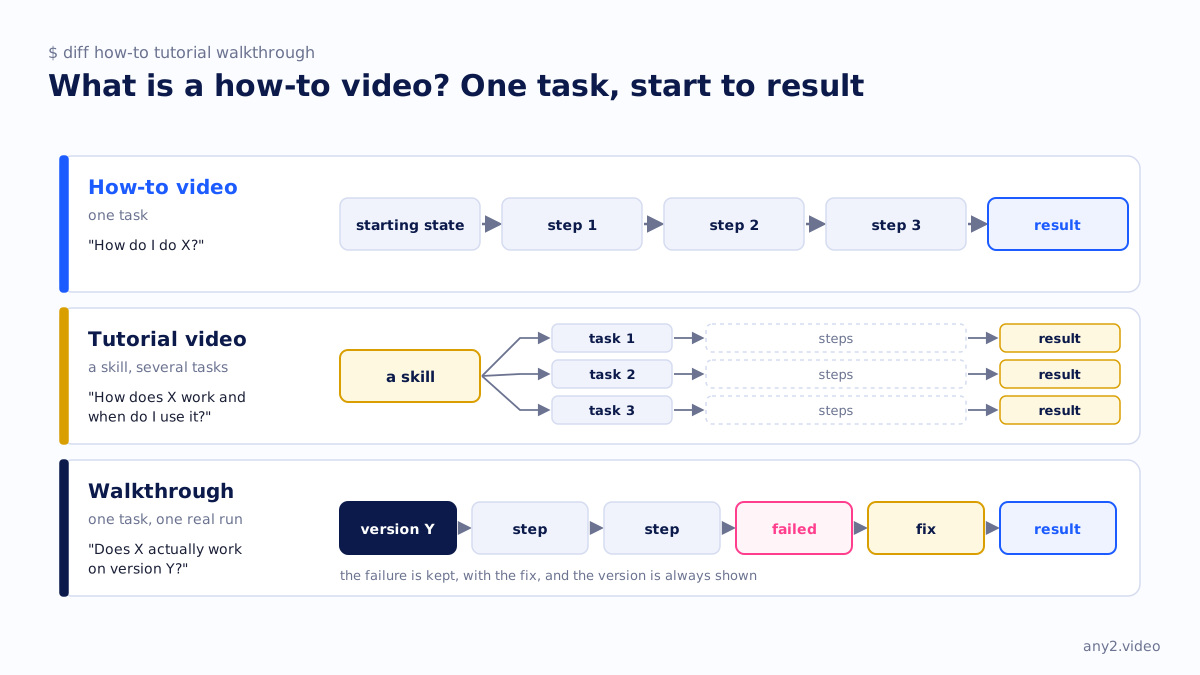
A how-to video shows a viewer how to complete one specific task, in order, from the starting state to a finished result, so they can repeat it themselves. It differs from a tutorial, which teaches a skill or a concept over several tasks, and from a walkthrough, which records one real run of the task including whatever went wrong.
How-to, tutorial, walkthrough
| How-to video | Tutorial video | Walkthrough video | |
|---|---|---|---|
| Scope | One task | A skill or feature, several tasks | One task, one real run |
| Answers | "How do I do X?" | "How does X work and when do I use it?" | "Does X actually work on version Y?" |
| Typical length | Short | Longer, often a series | As long as the task takes |
| Shows failures | Usually cut | Sometimes, as teaching points | Kept, with the fix |
| Carries a version | Rarely | Rarely | Always |
What a good how-to video contains
- The task named in the title, in the words a user would search for.
- The starting state shown before the first action, including prerequisites.
- Every step on screen, at a pace that can be followed, with the cursor visible.
- The finished result, at a moment the viewer can name.
- Written steps beside the video, so nobody has to scrub for a setting.
Why most how-to videos go stale
A how-to video is correct on the day it was recorded. The product then ships a release, a menu moves, and the video quietly teaches the wrong path. Nothing on the page says so, because most how-to videos carry no version. That is the gap a verified walkthrough closes by recording the version and re-running the task when it changes. The Proxmox VE 9.2 install is one, with the two attempts that failed left in.
How-to videos for a product with hundreds of tasks
Most software has far more tasks than videos, and the gap is where support tickets come from. Counting the tasks, counting the videos and dividing gives task coverage, the number that decides which how-to to make next. The library piece two hundred tasks, five platforms makes that case in two minutes, and onboarding videos are the usual place to start. For the recording side, see screen recorders for software demos.
Questions
What is the difference between a how-to video and a tutorial?
A how-to video covers one task from start to finish. A tutorial teaches a skill or feature and usually spans several tasks and some explanation of why.
How long should a how-to video be?
As long as the task takes at a pace a viewer can follow, and no longer. Cutting steps to hit a target length is how viewers get lost.
Should a how-to video show mistakes?
Yes, when they are mistakes a user would make. The error message and its fix are what people search for, and a video that skips them sends that search to a forum.
What makes a how-to video trustworthy?
A stated product version, the starting state shown before the first click, a result the viewer can see, and written steps beside the video.
See one, with its run log and the attempts that failed.
$ cd /library →