Trainn MCP: Product Videos From AI Chat, and the Limits
Trainn MCP lets Claude, ChatGPT or Cursor edit recordings into narrated product videos, articles and courses. What it does, what it costs, and what it cannot check.
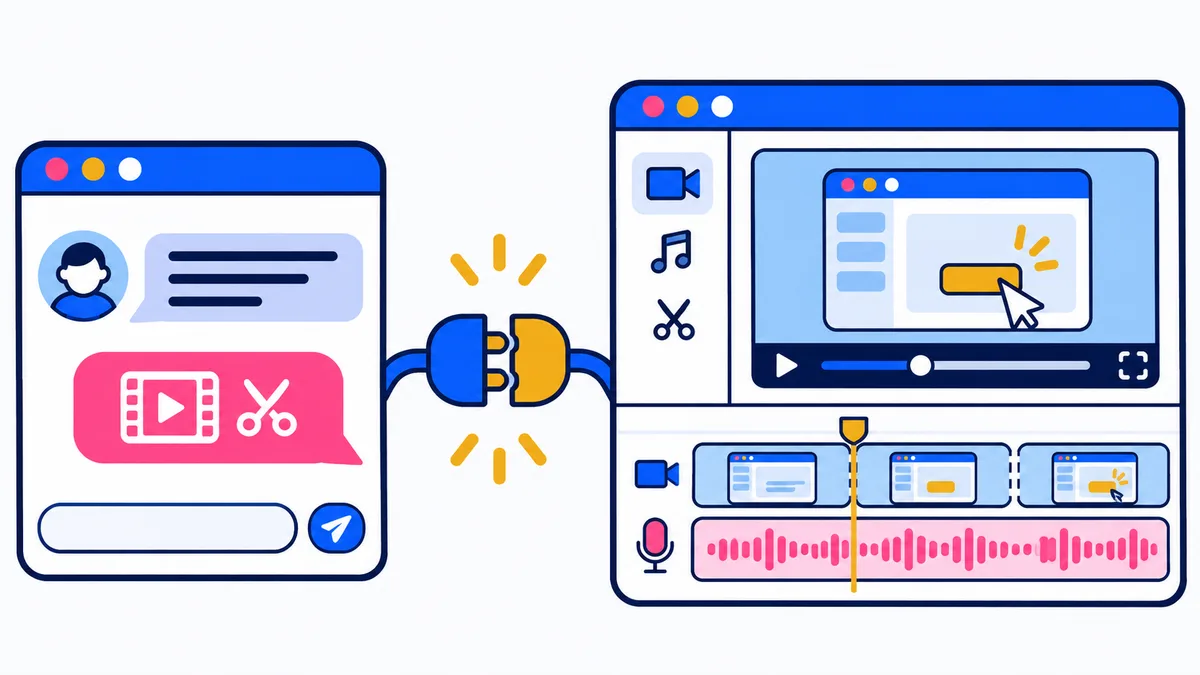
Trainn MCP connects AI chat tools such as Claude, ChatGPT, Notion and Cursor to Trainn, a product video and training platform. From the chat you can ask it to cut a screen recording or Zoom call into a narrated product video, translate it, draft help articles or build a course. Everything lands as a draft. It edits recordings you already have; it does not record or check the product.
What Trainn MCP does
Trainn MCP was listed on Product Hunt on 13 November 2026 with the line "Create product videos and courses from any AI chat". MCP is the standard way to connect an AI tool to another product, and the Trainn MCP page describes what the connection lets an AI chat do in Trainn.
For video, you upload a screen recording, webinar or Zoom call and ask the AI to cut, trim, add visual effects and translate it into a product video with an AI voiceover. Trainn's examples include turning long Gong and Zoom calls into short demo videos for sales, turning a product walkthrough into a launch video, and translating training recordings for a global team.
Beyond video, the chat can turn notes into help articles, build onboarding courses with lessons, quizzes and certifications, and find and bulk update content that a release has made outdated. Trainn says the AI drafts from your existing Trainn library, which it calls your source of verified product knowledge.
How you connect it, and what it costs
Trainn's FAQ gives the setup: sign up for Trainn, add https://mcp.trainn.co/mcp as a custom connector in your AI tool, allow access, then ask the chat whether Trainn MCP is connected. You choose what access to grant and can revoke it. Trainn says it does not use what you share to train its AI models, and lists ISO 27001, SOC 2 and GDPR compliance.
There is a 14 day free trial with all MCP features. After that, Trainn's FAQ says plans start at $19 a month.
What it does not do
Trainn is clear about the limits. Recording a new video and building step by step guides still happen inside Trainn, not through the chat. The video agent does not make animations or motion graphics. And nothing the AI creates goes live until someone publishes it.
So the input is always footage someone recorded earlier. If you need a screen recorder for software demos, you still need one, and you still need a person to do the task on camera.
Editing a recording versus proving the task works
Our view: an MCP like this saves real time on the editing side. Cutting a webinar into a two minute clip, adding narration and producing the same video in several languages are slow jobs by hand, and doing them from a chat window is a sensible use of AI.
What editing cannot do is tell you whether the steps in the recording still work. A recording from three releases ago can be trimmed and re-narrated perfectly while the button it clicks has moved. The chat sees the video file; it does not open your product.
That is the gap a verified walkthrough fills. Someone runs the task on the current product, checks the result against what the product itself produced, and leaves the failed attempts visible. We explain the difference in what a verified walkthrough proves and in our comparison of Loom recordings and verified walkthroughs.
When to use which
Use an editing tool such as Trainn MCP when you have good recordings and the job is volume: onboarding courses, internal training, sales follow-ups and translations. Use a verified walkthrough when the video has to show a buyer or user that a task works in the current release, for example a launch, an integration guide or a page that answers "can it do this?".
Many teams will use both. any2.video makes the second kind, and how it works sets out each mode and step.
Questions about Trainn MCP
What is Trainn MCP?
A connector that links AI tools such as Claude, ChatGPT, Notion and Cursor to Trainn, so the chat can plan, create and update product videos, articles and courses there. It was listed on Product Hunt on 13 November 2026.
How do I connect Trainn MCP to Claude or ChatGPT?
Sign up for Trainn, add https://mcp.trainn.co/mcp as a custom connector in the AI tool, allow access, then ask the chat whether Trainn MCP is connected.
Can Trainn MCP record my product?
No. Trainn says recording a new video and building guides still happen in Trainn. The MCP edits recordings you upload, such as screen recordings, webinars and Zoom calls.
How much does Trainn MCP cost?
Trainn offers a 14 day free trial with all MCP features. Its FAQ says plans start at $19 a month after that.
Does Trainn MCP publish videos automatically?
No. Everything the AI creates lands as a draft, and nothing goes live until you publish it.
Edit the recordings you have with whatever tool suits you. For the video that has to prove the task works in today's release, send one product and one task. The first sample is free.
$ get-sample →