
How to Run a Video Marketing Campaign Around a Product Release: Changelog In, Verified Videos Out, Same Day
A software company runs this video campaign a dozen times a year and most teams improvise it every time. A repeatable process from changelog to publishing, plus the step that keeps older videos from going stale.
Part of our guide to Video Content Strategy for Software Companies.
Most video campaigns are one-offs built around a moment such as a launch, an event or a funding announcement. Software companies also have a campaign that recurs on a schedule they already control, the release, and they almost never run it as a campaign.
If you ship monthly, that is twelve campaigns a year, each with a fixed structure, a known deadline and content that more or less plans itself. Most of the benefit comes from treating it as a repeatable process instead of a scramble.
The changelog is the brief
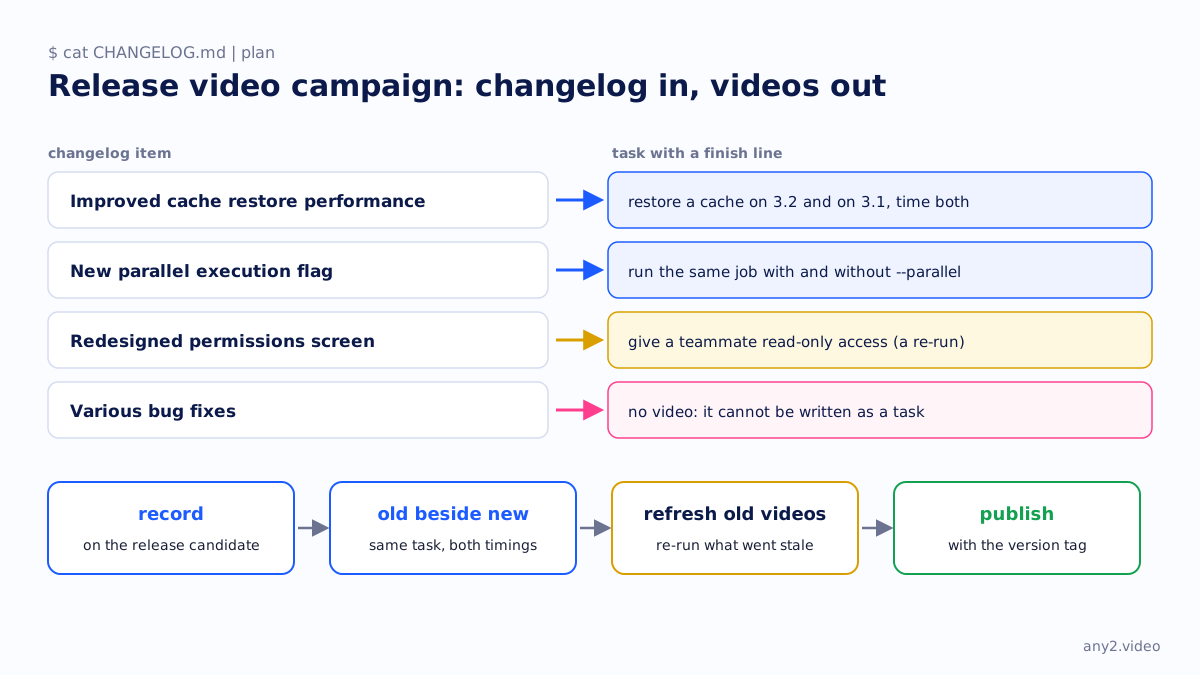
You need no creative brief and no kickoff meeting, because the changelog does that job. Turning it into a plan is mechanical, since each headline item becomes one task with a finish line.
- "Improved cache restore performance" becomes "restore a cache on 3.2 and on 3.1, and time both".
- "New parallel execution flag" becomes "run the same job with and without --parallel".
- "Redesigned permissions screen" becomes "give a teammate read-only access". You have probably recorded that task already, and now it needs a re-run.
- "Various bug fixes" gets no video. If an item cannot be written as a task, leaving it out is correct.
Five headline items make five tasks. That is the whole planning stage, and it takes about an hour.
Record on the release build before it ships
Record everything on the tagged release candidate, rather than on a nightly or on production after release. The video then matches the version it claims, and the recording session doubles as a smoke test.
In a bad week, the smoke test is worth more than the videos. Someone runs the headline features end to end on the actual build, days before customers do, and catches problems that unit tests miss. A failed recording in that session is an engineering problem to report, whatever it does to the content schedule.
Put old and new side by side
Where behaviour changed, run the old version as well, with the same task and the same data, and show both timings on screen.
"41 seconds on 3.1, 9 seconds on 3.2" states a fact, while "dramatically faster restores" is the sort of line press releases are made of.
It costs one extra environment and one extra recording for each changed behaviour. In return, a marketing adjective becomes something a sceptical engineer will forward to the team. If the improvement does not hold up when measured, you want to find that out internally.
Keep the library current
This step turns a release announcement into a campaign, and it works in the opposite direction from everything above.
Ask which existing videos this release just made wrong. If the permissions screen was redesigned, every video that walks through permissions is out of date. Re-run those tasks on the new build. A clean re-run republishes without an announcement, and a failed one tells you a documented path broke.
Skip the step, and every release makes the library a little less accurate, which nobody notices until a customer follows a video into a dead end. With it, the library is never more than one version behind. The mechanism is a version tag on each video, described in a video-first strategy for software products.
What ships, and where
- A release video of two to four minutes that runs each changed item once, shows old beside new where it matters, and has chapters matching the changelog headings.
- One task walkthrough for each significant feature, published to the library and linked from that feature's docs page.
- Two or three short cuts of thirty to sixty seconds for social, all cut from the videos above and never recorded separately.
- The refreshed older videos, republished without an announcement.
Distribution is unglamorous and it works. Use the release notes page, the in-app what's new panel, the changelog entry, the customer email and each feature's docs page. Post to social last, since it is the only channel where nobody went looking for the release.
A timeline for release week
| Day | What happens |
|---|---|
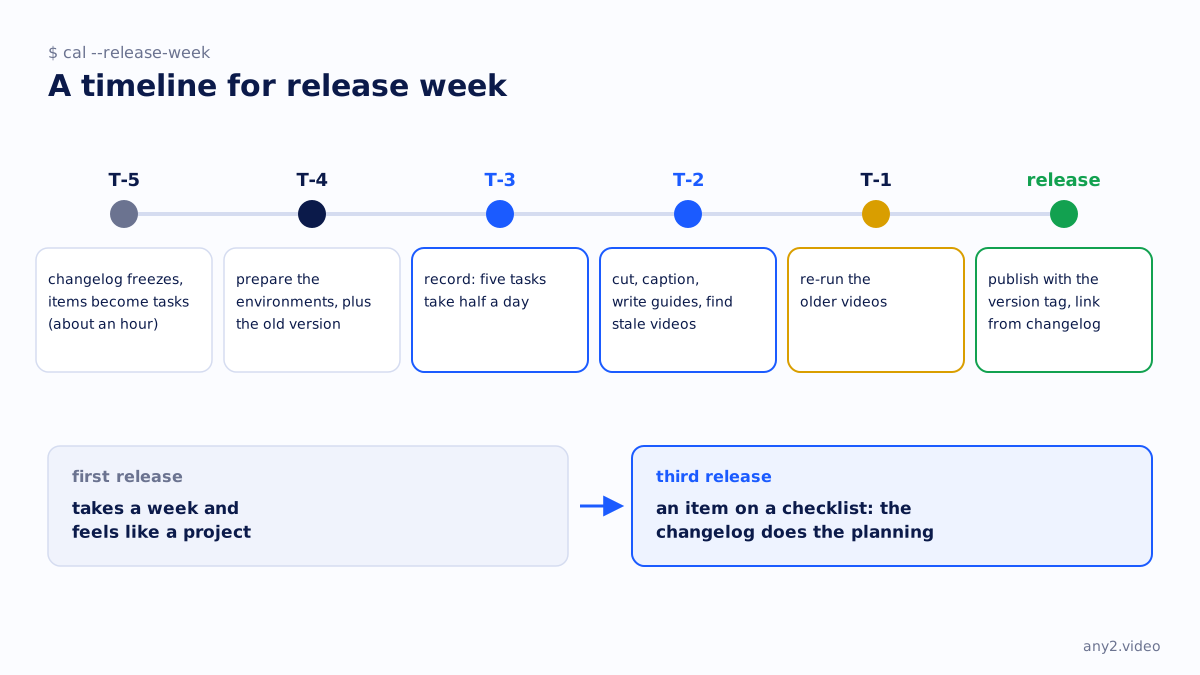
| T-5 | The changelog freezes and you turn its items into tasks, which takes an hour. |
| T-4 | Prepare the environments, including an instance of the old version for any comparison. |
| T-3 | Record. Once the environments exist, five tasks take half a day. |
| T-2 | Cut, caption and write the guides, and work out which existing videos the release invalidates. |
| T-1 | Re-run those older videos. |
| Release day | Publish everything with the version tag and link it from the changelog. |
The first time through takes a week and feels like a project. By the third release it is an item on a checklist, because the environments persist, the format stays fixed and the changelog does the planning.
For what the recording step involves, see how to make a marketing video for a software product.
Shipping soon? Send one item from the changelog and see it made. First sample is free.
$ get-sample →