
Interactive Demo Software Compared: Arcade vs Navattic vs Storylane vs Supademo vs Walnut
Interactive demo software lets a buyer click through a copy of your product without a sales call. Navattic and Walnut are built around HTML capture of web apps; Arcade, Storylane and Supademo start from screenshots and video and add HTML capture on higher plans. None of the five captures a desktop or terminal app as HTML, and none shows the task finishing on the real product.
Part of our guide to AI Video Marketing for Software Products.
Interactive demo software records your product once and turns it into a click-through tour that prospects can take on your website, in an email or in a sales room. The five tools most teams shortlist are Arcade, Navattic, Storylane, Supademo and Walnut. They differ most in how they capture the product: as screenshots and video, or as an HTML copy of the page that the buyer can scroll and hover.
We compared them from their own pricing pages, feature pages and documentation on 29 September 2026. We did not build a demo in each. Prices were checked again on 3 October 2026 and are in their own section below. Every vendor here offers a free plan or a demo call, so trying one is cheap.
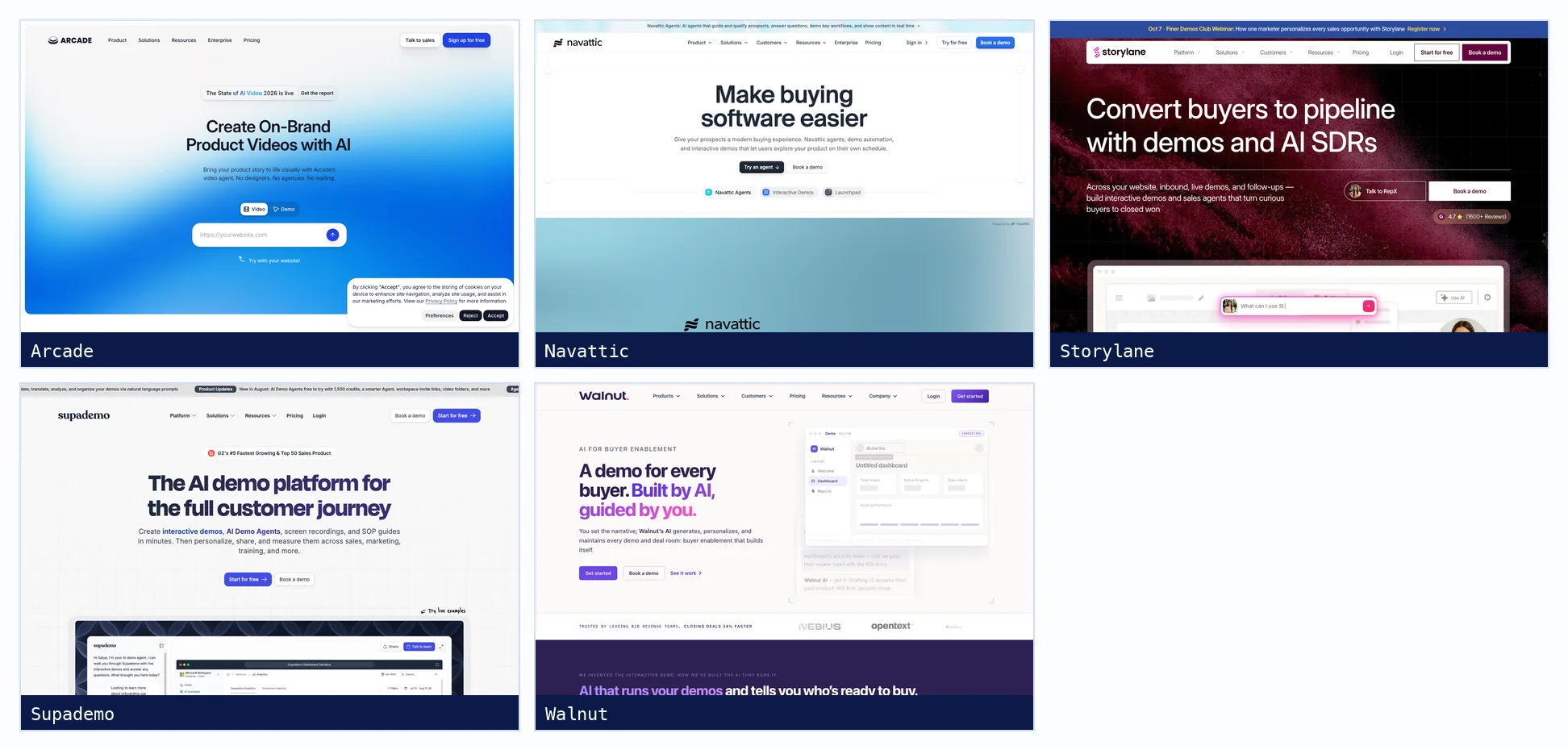
Interactive demo software at a glance
| Tool | Default capture | HTML capture | Desktop and terminal apps | After a UI change | Free plan |
|---|---|---|---|---|---|
| Arcade | Clicks become screenshots, typing and scrolling become video | Enterprise only | Desktop app records native apps and terminal windows as screenshots or video | Replace the step or re-record it | 1 published demo, 1 video, watermark |
| Navattic | HTML web captures | Every plan | Desktop app captures native apps as images or video, not HTML | Recapture a screen, compare old and new, update every step that uses it | 1 seat, 1 demo |
| Storylane | Screenshots and video | From Growth | Desktop app on Mac and Windows, screenshot or video | Edit HTML screens in place, search and replace across screens | 1 published demo |
| Supademo | Screenshots and video | From Business; sandbox from Growth | Desktop app records native apps, terminals and code editors as screenshots or video | Replace Image keeps a step's hotspots and text | 5 guided demos |
| Walnut | HTML and CSS capture | Core product | No desktop capture documented; non-web content is uploaded as media | Edit a template, then push the change to every connected demo | None listed |
What is an interactive product demo?
An interactive product demo is a clickable recording of your software that a buyer explores alone. The tool captures each screen of a workflow, either as a screenshot or as a copy of the page's HTML, and you add hotspots, text and voiceover to guide the viewer. The buyer clicks through the story you recorded, but nothing runs behind it.
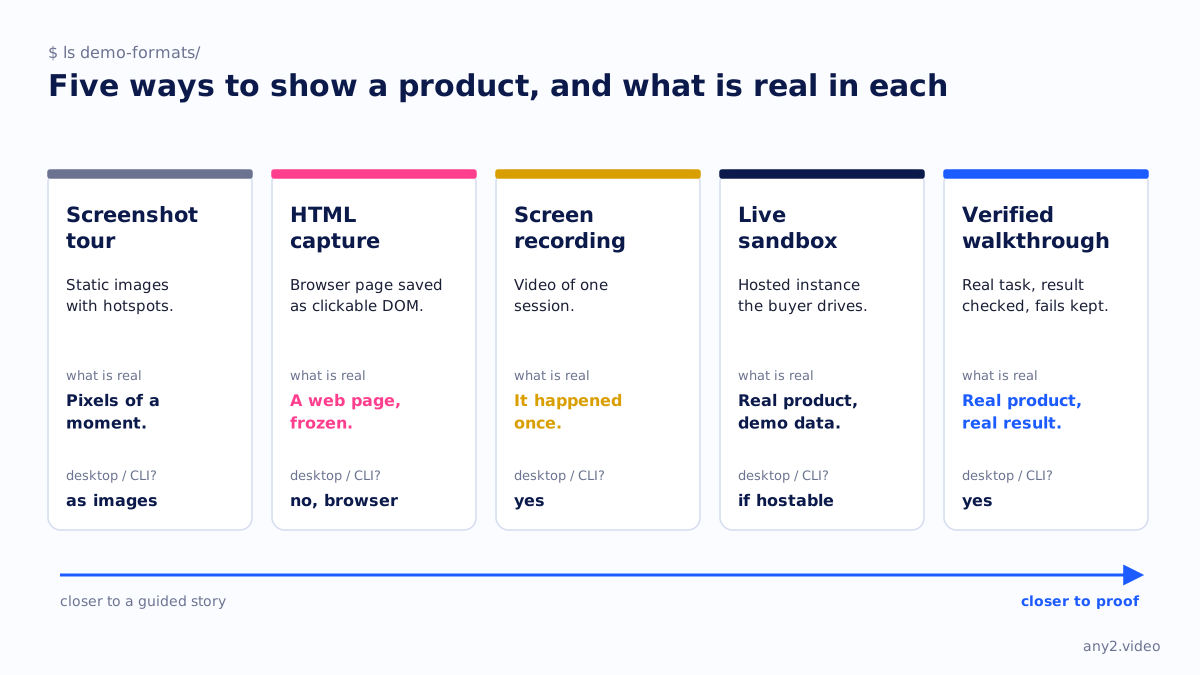
The five tools, one by one
Arcade
Arcade's Chrome extension turns each click into a screenshot with a hotspot and records scrolling, typing and dragging as video, and its desktop app for Mac and Windows covers native apps and terminal windows. HTML capture and editing HTML after recording are Enterprise features. The Growth plan adds AI translations, MP4 and GIF export, and demo forms.
Navattic
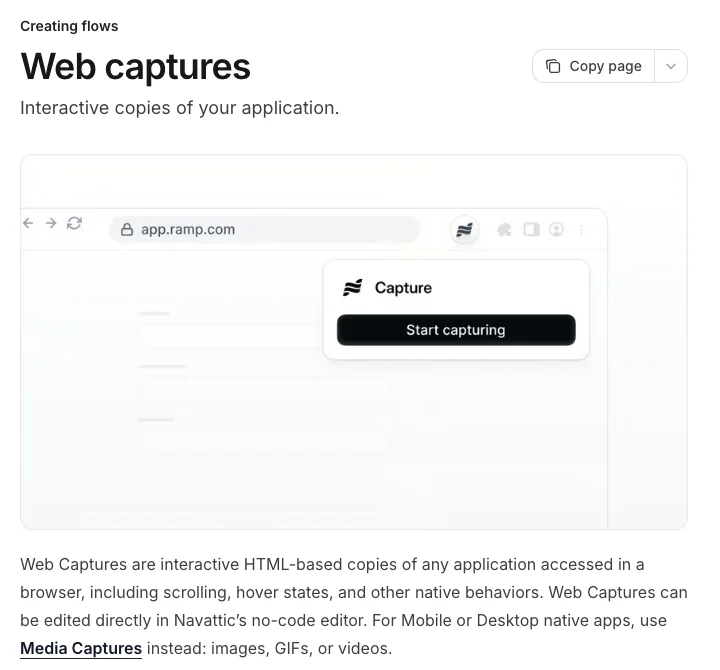
Navattic is HTML first: its web captures are interactive copies of any app you open in a browser, including local development servers, staging URLs and pages behind a login, according to its FAQ. Its recapture flow is the most complete here. You retake a screen, compare old and new with a slider, and every step that uses it updates. Demo translation covers 35 languages on Growth.
Storylane
Storylane records screenshot and video demos on every plan and editable HTML demos from Growth, where an AI editor can change text, images and charts, and a global search and replace fixes a renamed label across screens. It also sells sandbox demos, sales rooms it calls Hubs, and an AI sales agent. Multi-language demos are available on request for Premium customers and above.
Supademo
Supademo's free plan allows five guided demos and 50 screen recordings. HTML cloning starts on Business and clickable sandbox demos on Growth. Its desktop app records native applications, emulators, terminal windows and code editors, and its Replace Image feature swaps a step's screenshot while keeping its hotspots, text and analytics. Translation covers 50 languages, English included.
Walnut
Walnut captures web apps as editable HTML and CSS and is aimed at sales teams, with playlists, deal rooms and an AI agent. Demos are built from templates, and editing a template pushes the change to every connected demo. Its docs note what the extension cannot capture, including JavaScript-driven interactions such as dropdowns, sorting and filtering. There is no free plan.
Arcade vs Navattic: what is the difference?
Arcade starts from screenshots and video and reserves HTML capture for Enterprise, which makes it quick to record and easy to turn into video or social clips. Navattic captures HTML on every plan, so buyers can scroll and hover in a copy of the real page, and its recapture flow updates every demo that uses a changed screen. Arcade suits marketing content; Navattic suits a demo centre.
Are interactive demos better than video demos?
For letting a buyer explore at their own pace, yes: they choose the path and you learn which steps they viewed. For showing that something works, no. An interactive demo replays screens captured once and cannot show a job running, an error being fixed or a result being checked. A video of a real run can, which is why many teams use both.
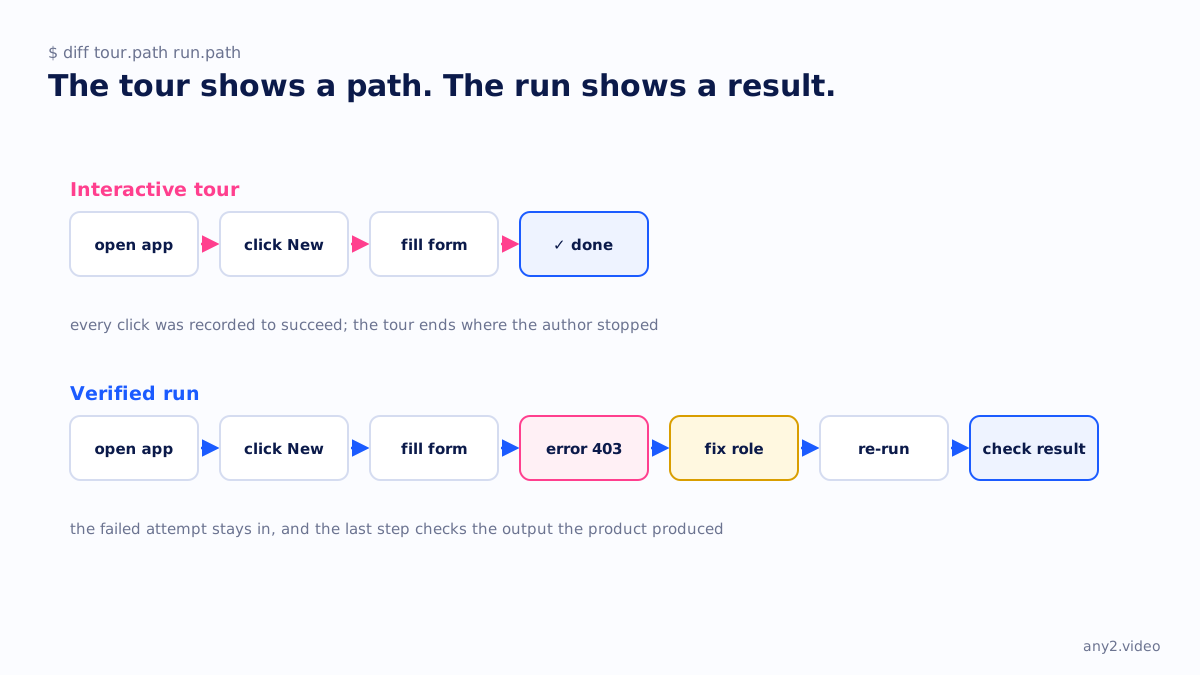
Can an interactive demo show a CLI or on-prem product?
Only as screenshots or video. HTML capture works on web apps in a browser, and none of the five documents HTML capture of desktop or terminal software. Arcade and Supademo name terminal windows among what their desktop apps can record. For on-prem software, Navattic says local and staging URLs can be captured; the others do not say.
That is the gap for infrastructure, backup and developer tools, where the important part of a task happens in a terminal or in a job log over several minutes. A screenshot of a command and a screenshot of success skip what a buyer wants to see in between. Our comparison of step recorders and interactive demo tools covers the same limit from another angle.
Which interactive demo tool is best for B2B?
It depends on who runs it. For a marketing team that wants demos, videos and social clips from one recording, Arcade. For a demo centre with many HTML demos kept current after releases, Navattic. For sales teams who personalise demos per deal, Walnut or Storylane. For the lowest-cost start, or for demos that include desktop and terminal steps, Supademo.
How do interactive demos stay up to date?
Someone recaptures the screens that changed. Navattic compares a new capture with the old one and updates every step that uses it, Walnut pushes template edits to connected demos, Supademo and Arcade replace a step's image, and Storylane edits HTML screens in place. Walnut's homepage says demos update themselves; its documentation describes pushing template changes, which still starts with a person.
How much does interactive demo software cost?
Entry plans run from about $40 a month to $575 a month. Storylane Starter is $40 a month billed yearly, Arcade Growth $42.50 per seat and Supademo Scale $38 per creator annually. Navattic Base is $500 a month billed annually for five seats, and Walnut starts at $575 a month, billed annually only. All but Walnut have a free plan.
| Tool | Free plan | Entry plan | Billed annually | Billed monthly |
|---|---|---|---|---|
| Arcade | 1 published demo and 1 video | Growth | $42.50 per seat | $50 per seat |
| Navattic | 1 seat, 1 demo | Base (5 seats) | $500 a month | $600 a month |
| Storylane | 1 seat, 1 demo | Starter | $40 a month | $50 a month |
| Supademo | 1 creator, 5 demos | Scale | $38 per creator | $50 per creator |
| Walnut | None stated | Ignite (3 editor, 3 presenter seats) | $575 a month | Not offered |
Where interactive demos stop
An interactive demo is a good way to let a buyer look around. It is a weak way to answer the question an evaluator asks next: does this actually work on my kind of setup? That needs the task performed on the real product, with the version shown and the output checked, like the Proxmox VE 9.2 install in our library. For the other formats in this series, see Scribe vs Tango vs Guidde and AI video generators for product marketing.
Sources, all fetched 29 September 2026: Arcade recording docs, Navattic web captures, Storylane HTML demos, Supademo desktop app, Walnut Chrome extension and each vendor's pricing page. Prices: Arcade, Navattic, Storylane, Supademo and Walnut, fetched 3 October 2026.
Your demo shows the path. Want a video that shows the task finishing on the real product, errors included? Send us one task. The first sample is free.
$ get-sample →