
Digital Human Koubo: AI Talking Head Video for B2B Teams
Digital human koubo, an open-source agent skill, turns one photo and a sentence into a lip-synced AI presenter. Where an AI talking head video works for a software company, where a walkthrough still needs the real product, and the QC steps the repo uses.
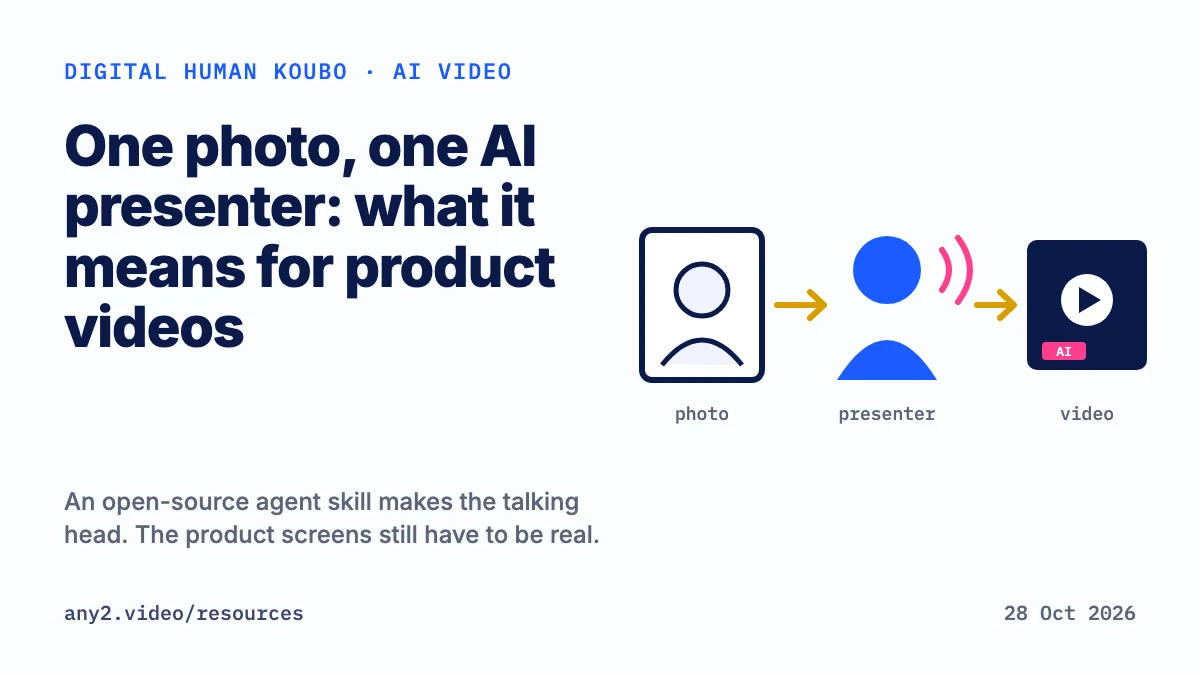
Digital human koubo is an open-source agent skill, published on GitHub on 26 October 2026, that turns one photo and one sentence into a lip-synced AI talking head video. For a software company it can front an announcement, an explainer or a language track. It cannot show your product working, because the presenter and everything around her are generated.
What digital human koubo is
Koubo (口播) is the Chinese term for a presenter talking to camera. The repository andyhuo520/digital-human-koubo is MIT licensed. It ships as an agent skill, a SKILL.md file plus Python, shell and Remotion scripts that an AI agent follows step by step. GitHub showed 1,212 stars on 28 October 2026, two days after the repository was created.
The README describes the pipeline like this. A fixed presenter, built from one photo, is stored in a persona file so every video shows the same person. The script is split into segments of 15 seconds or less, and each one is generated as a lip-synced clip with Grok Video 1.5 through the Renoise MCP server. The clips are checked and their voices matched, and the video is cut in Remotion in one of 5 editing styles, with a kit of 48 packaging components such as lower thirds, counters and chapter cards.
Before it spends anything, the agent quotes segments, seconds, credits and balance and waits for a yes. It then generates segment 1 for review before batching the rest. Every demo in the repo carries the label 内容由 AI 数字人演绎, which the English README translates as performed by an AI digital human.
What it costs to run, according to the README
The README lists its own runs in Renoise credits: 482 credits for a 27-second livestream ad in 9:16, about 3,250 for a 4 minute 36 second tutorial and about 3,409 for a 5 minute 54 second tutorial. It gives Grok Video 1.5 at 17 credits a second at 720p and 10 at 480p, and tells readers to confirm with the agent's live quote.
Check the editing licence too. Remotion, which renders the edit, is free for individuals and for companies of up to 3 people, the README says, and larger companies need a company licence.
Where an AI talking head video works for a software company
A talking head carries words. It fits when the message is the content and the viewer does not need to watch the product do anything:
- Release announcements. A presenter reading what changed, with the change list on screen, is a script with a face. Turning release notes into a video covers what to put around it.
- Concept explainers, such as why a category exists or how a pricing model works. Style A in the README is built for explainers with charts, documents and chapter cards, and SaaS explainer videos covers what to show in one.
- Language tracks. The README says English, Japanese, Korean, French, Spanish and Arabic were tested, with a whisper back-check of 94 to 100 percent. A presenter speaking the viewer's language can open a video whose product steps stay recorded. Product demo video in multiple languages compares subtitles, dubbing and re-recording.
- Short social cuts in 9:16, which Style B in the README is designed for.
Where it fails: the product walkthrough
A walkthrough promises that a real task ran on a real product. Digital human koubo generates a presenter and places her in scenes. It never logs into your software. Style C in the README puts the presenter on one side and B-roll on the other, and that B-roll is whatever you supply. If the panel shows a mocked or generated interface, a buyer who uses your product will notice the menu that does not exist.
Let the presenter introduce the release or the concept, then cut to a recording of the actual product for every step a buyer will copy. What a verified walkthrough proves lists the questions to ask about that recording, including which version it ran on.
Label the presenter as AI
The repo's responsible use section asks for an AI digital human label on every video, and for scene and animal clips to be marked AI generated. It asks users to work only with their own face and voice, or ones they have explicit permission to use, and to keep made-up numbers, prices, offers and reviews off the screen.
Those rules carry over to a B2B video. Say on screen that the presenter is AI, say it again in the description, and check the rules of each platform and market where you publish.
A QC checklist taken from the repo
The README's own quality steps work as a checklist for any AI talking head video, whoever made it:
- Transcript back-check. Transcribe every segment with whisper and compare it with the script. The README warns that whisper writes Chinese numbers as digits, so listen to a line before re-shooting it.
- Frame check. The skill inspects 4 frames per segment because Grok sometimes burns subtitles into the picture, and it re-shoots those segments.
- Voice match. Separately generated clips sound different. The README's fix combines spectral matching, de-essing, one shared room reverb and loudness normalisation, and it reports the sibilance spread falling from 13.2 dB to 5.9 dB in the author's tests.
- Lip sync after a voice swap. Replacing Grok's voice afterwards leaves about 100 ms of lip offset, per the README, which shows in full-screen close-ups.
- Final render. Check frames in the middle of transitions and set loudness to -14 or -16 LUFS, the targets the README uses.
- Approval before spend. Approve the cost quote and segment 1 before the rest is generated.
- Product claims. Check every version number and feature the presenter mentions against your release notes before you publish.
Where any2.video fits
any2.video makes verified product walkthroughs. An operator runs a real task on the real product, on a stated version, checks the result against evidence the product produced and keeps the failed attempts in the record. Delivery takes about two days, and the first sample, one product and one task, is free.
A digital human can open that video in your buyer's language, and the steps after the opening come from the product itself. AI video generators for product marketing draws the same line for Synthesia, HeyGen, Runway and Veo.
Questions about digital human koubo
What is digital human koubo?
An open-source agent skill on GitHub, MIT licensed, that makes an AI digital human video from one photo and a script. It writes the script, generates lip-synced clips with Grok Video 1.5 through Renoise MCP, checks them and edits them in Remotion.
What does koubo mean?
Koubo (口播) is Chinese for a presenter speaking to camera, the format English speakers call a talking head video.
Is digital human koubo free to use?
The code is MIT licensed. Generation spends Renoise credits on your own account; the README lists 482 credits for a 27-second ad. Remotion needs a company licence for companies larger than 3 people, according to the README.
Can an AI talking head video replace a product demo?
No. The presenter is generated and never operates your product, so any screen shown beside her is only as real as the footage you supply. Use the presenter for the introduction and record the product for the steps.
Should an AI presenter video be labelled?
The repo labels every demo as performed by an AI digital human and asks users to do the same. For a business video that is the safe default; also check the rules of the platform and country where you publish.
Which languages does digital human koubo support?
The README lists English, Japanese, Korean, French, Spanish and Arabic as tested, with a whisper back-check of 94 to 100 percent, alongside Chinese, which the demos use.
Sources, all read on 28 October 2026: digital-human-koubo repository on GitHub, README in English, README in Chinese.
Put an AI presenter on the opening if it suits you. For the part that has to prove your product works, send one product and one task. The first sample is free.
$ get-sample →