
What Is a Screencast? Screen Recording Meaning, the Tools, and What Makes One Verifiable
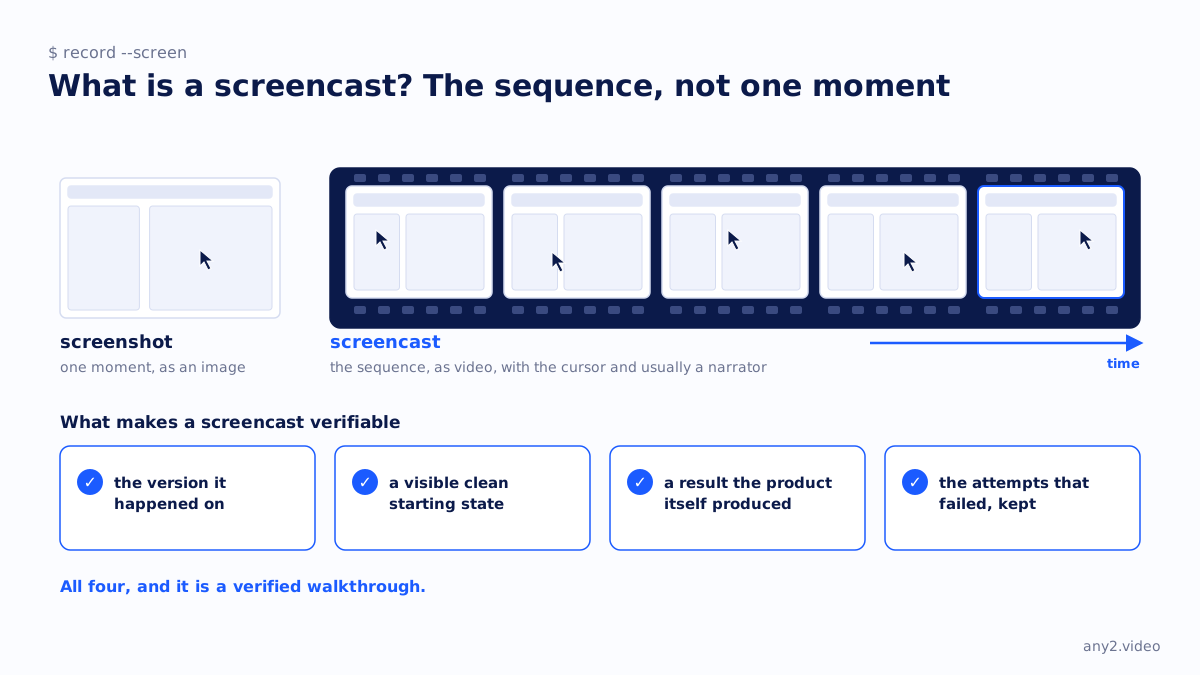
A screencast is a video recording of what happens on a computer screen over a period of time, usually with the cursor visible and a narrator explaining the actions, used to show how software works or to document a process. A screenshot captures one moment; a screencast captures the sequence.
What a screencast is used for
- Tutorials and how-to videos, where the viewer follows the steps.
- Bug reports and support replies, where one person shows another what happened.
- Product demos and walkthroughs, where the product is shown doing a task.
- Documentation, embedded beside the written steps.
- Recorded presentations, with slides on screen and a voice over them.
Tools
Every operating system can record its own screen, and dedicated recorders add the cursor effects, zooms, webcam overlay, captions and editing that make a recording watchable. Our comparison of screen recorders for software demos covers seven of them. For a one-off reply to one person, the built-in recorder or a quick-share tool is enough; see Loom for marketing versus a verified walkthrough for where that stops.
What makes a screencast verifiable
A screencast shows that something happened on a screen once. It becomes evidence when it also shows which version it happened on, starts from a visible clean state, ends on a result the product itself produced, and keeps the attempts that failed. That is the definition of a verified walkthrough, and the Proxmox VE 9.2 install is a screencast that meets it. Keeping the raw footage is what lets anyone check.
Screencast, demo, walkthrough
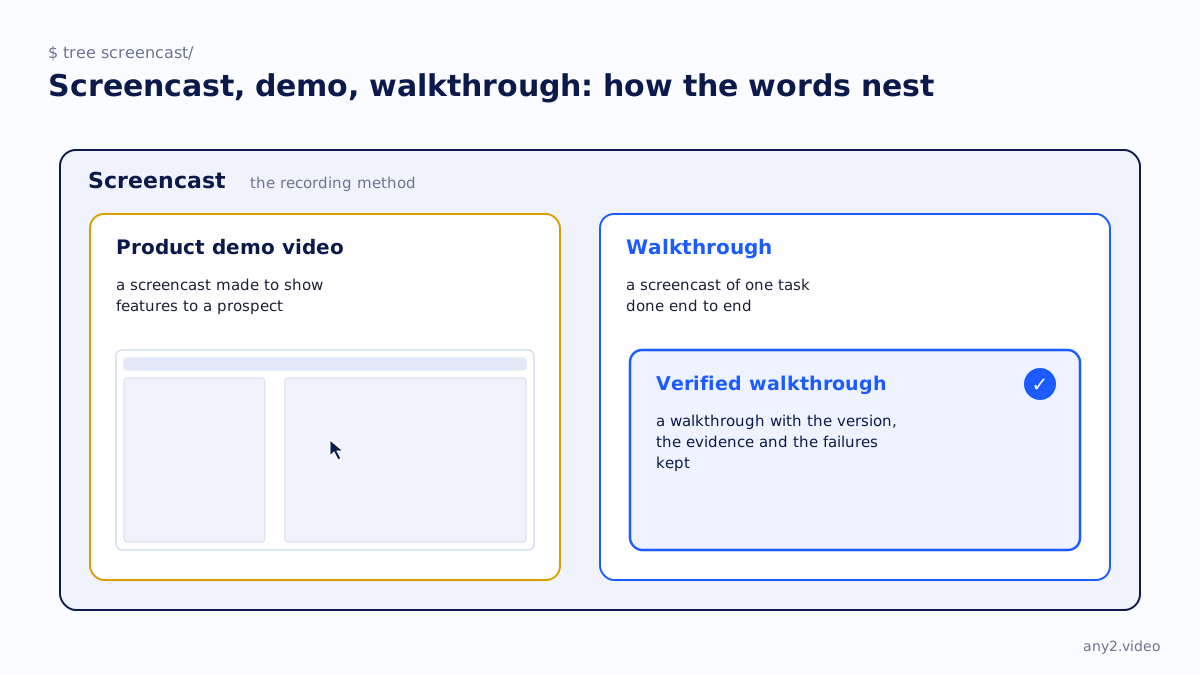
The words overlap. A screencast is the recording method. A product demo video is a screencast made to show features to a prospect. A walkthrough is a screencast of one task done end to end. A verified walkthrough is a walkthrough with the version, the evidence and the failures kept.
Questions
What is the difference between a screencast and a screenshot?
A screenshot captures the screen at one moment as an image. A screencast records it over time as a video, with the cursor moving and usually a narrator.
Is a screencast the same as a screen recording?
Yes in practice. Screen recording describes the act; screencast describes the resulting video, especially one made to show or teach something.
What do I need to make a screencast?
A screen recorder, a microphone, a clean account with test data, and the task written down as one sentence before you start. The editing tools matter less than the preparation.
Can a screencast be used as proof that software works?
Only if it shows the version, starts from a visible clean state, ends on a result the product produced and keeps the failed attempts. Without those it shows that something happened once, on some version.
See one, with its run log and the attempts that failed.
$ cd /library →