
Tutorial Software Compared: Eight Tools for Making Software Tutorials, by Output and Price (October 2026)
Tutorial software makes one of three things: a written step-by-step guide (Scribe, Tango, Snagit), a video (Guidde, Camtasia, Descript) or an interactive tutorial the learner clicks through (iorad, Supademo). This page compares eight tutorial makers by what the learner gets, free plan and price, checked on 3 October 2026.
Part of our guide to AI Video Marketing for Software Products.
Tutorial software is a tool for making software tutorials: a written guide, a video, or an interactive walkthrough that shows someone how to complete a task in an application. The fastest way to choose is by what the learner gets. Written guides are searchable and quick to skim; videos show pace and context; interactive tutorials make the learner perform each step.
We compared eight tutorial makers from their own pricing pages on 3 October 2026. Prices are in US dollars as displayed, except Snagit and Camtasia, whose store showed only euros from our location; we give those in euros rather than convert them.
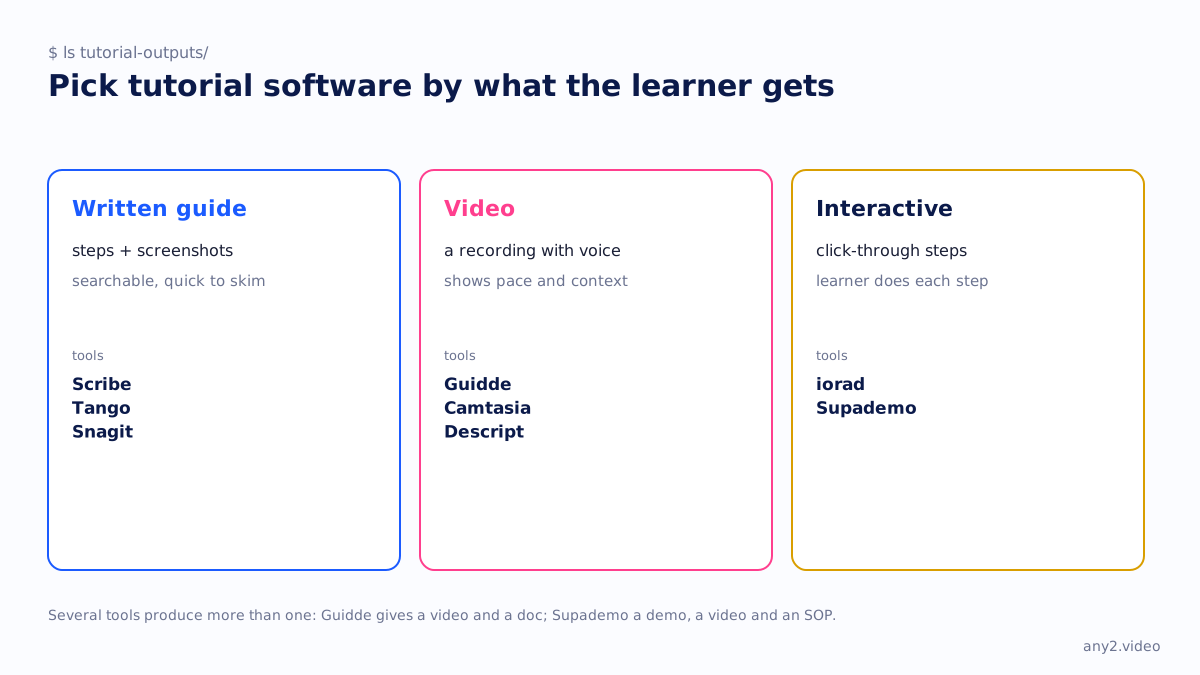
Tutorial software at a glance
| Tool | Output | Free plan | Entry price (3 Oct 2026) |
|---|---|---|---|
| Scribe | Written guide from your clicks | Basic: browser only | Pro Personal: $25 per seat annually, $35 monthly |
| Tango | Written guide from your clicks | 5 shared workflows | Pro: $22 per user annually, $26 monthly (1 to 2 users) |
| Snagit | Screenshots, recordings, Step Capture guides | No | €39.56 per user per year |
| Guidde | Narrated how-to video plus a doc | 25 videos, watermark | Pro: $19 per creator annually, $29 monthly |
| Camtasia | Edited tutorial video | No | Essentials: €182.49 a year (first plan without a watermark) |
| Descript | Video edited by transcript | 60 media minutes a month, 720p | Hobbyist: $16 annually, $24 monthly |
| iorad | Interactive tutorial in several modes | Unlimited public tutorials | Individual: $200 a month |
| Supademo | Interactive demo, video and SOP | 5 demos | Scale: $38 per creator annually, $50 monthly |
What is the best tutorial software?
For written guides made from your own clicks, Scribe or Tango. For narrated how-to videos without editing, Guidde, which produces the video and a document from one capture. For edited video with full control, Camtasia or Descript. For tutorials the learner performs step by step, iorad or Supademo. Snagit suits teams that mostly need annotated screenshots with the occasional step guide.
Written guides: Scribe, Tango, Snagit
Scribe and Tango record your clicks in the browser and write a step-by-step guide with a screenshot per step; both add desktop capture on paid plans. Tango's free plan allows five shared workflows; Scribe's free plan works with web apps through the Chrome and Edge extensions. Snagit is a desktop screenshot tool whose Step Capture feature turns clicks into a guide and redacts emails and card details. Our Scribe vs Tango vs Guidde comparison goes deeper.
Video: Guidde, Camtasia, Descript
Guidde captures a workflow and writes the script, voiceover and captions with AI; the free plan allows 25 videos with a watermark, and desktop capture starts on Business at $39 per creator annually. Camtasia is a full timeline editor with captions and SCORM export, sold yearly. Descript edits video by editing its transcript and includes a screen recorder. Our screen recorder comparison covers Camtasia and Descript as recorders.
Interactive: iorad and Supademo
iorad turns a captured workflow into an interactive tutorial that learners can view in several modes, including one where they perform each step themselves; it is priced per creator, never per learner, and the free plan allows unlimited public tutorials. Supademo captures once and produces an interactive demo, a 4K video or an SOP; its free plan allows five demos.
Is there free tutorial software?
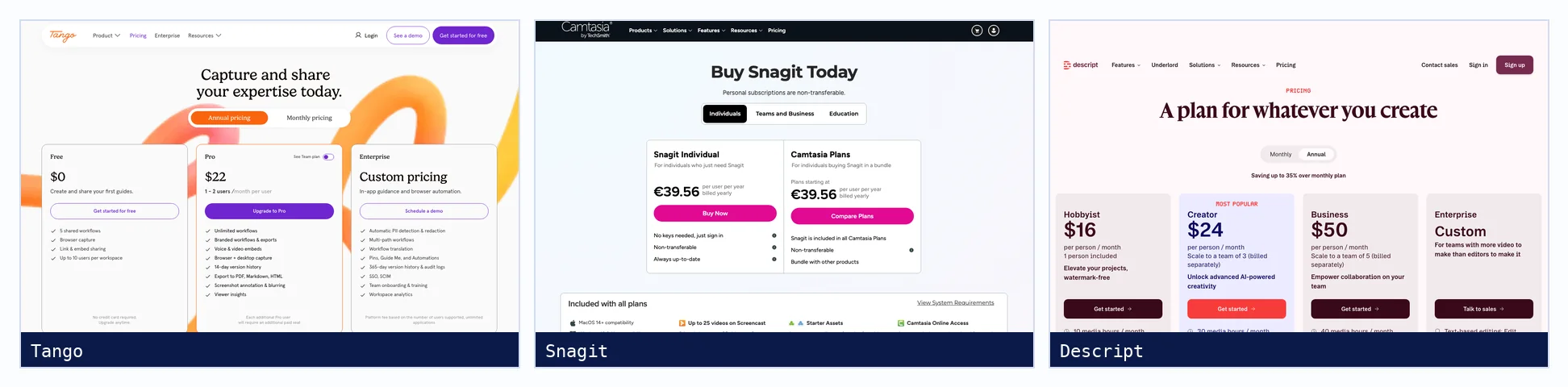
Most tools here have a free plan with limits: Tango allows five shared workflows, Guidde 25 videos with a watermark, Descript 60 media minutes a month at 720p, iorad unlimited public tutorials, Supademo five demos, and Scribe a browser-only Basic plan. Snagit and Camtasia have no free plan, only a money-back guarantee.
How do you make a software tutorial?
Pick one task, run it once on a clean account, and capture it with the tool that produces the output your learners need. Then edit: name each step by the button or field the learner will see, add what should happen after it, and keep the step people get wrong. Our guide to writing step-by-step instructions has a free template for the written half.
Where a verified walkthrough fits
Every tool here records what you did on the day you did it. None of them records which version that was or re-runs the task after a release, so tutorials drift. For tasks where being current matters, a verified walkthrough carries the version and is re-run on change, like the Proxmox VE 9.2 install. Instructional video production for software covers keeping a library current.
Sources, all fetched 3 October 2026: Scribe, Tango, Snagit, Guidde, Camtasia, Descript, iorad and Supademo.
Need the tutorial recorded on the current version and kept current after releases? Send us the task. The first sample is free.
$ get-sample →