YouTube Strategy for a B2B Software Company: A Channel Built for Search, Evaluation and Support
A B2B software channel on YouTube earns its keep when buyers and users find it while searching for a task. What to publish, how to organise it, chapters, faceless narration, other languages, what to measure and a plan for the first three months.
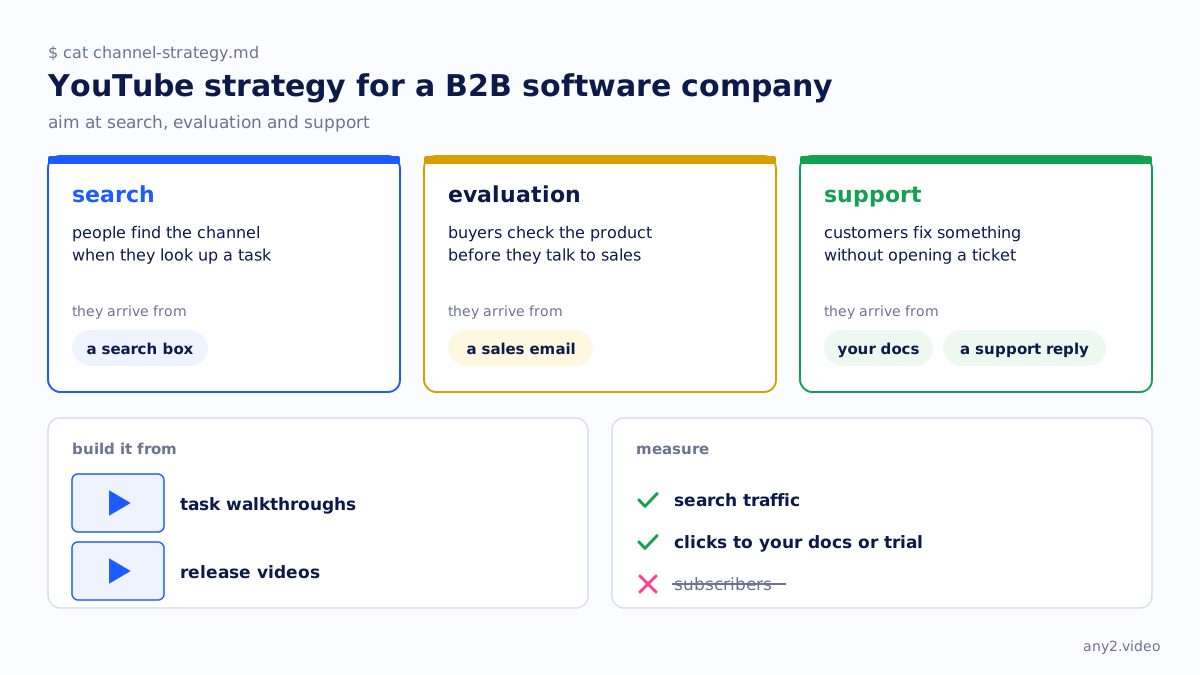
A YouTube strategy for a B2B software company should aim at search, evaluation and support. People find the channel when they look up a task, buyers use it to check the product before they talk to sales, and customers use it to fix something without opening a ticket. Build it mostly from task walkthroughs and release videos, organise it by the job a viewer came to do, and measure search traffic and clicks to your docs or trial rather than subscribers.
What a B2B software YouTube channel is for
Most people who watch a B2B software video want something specific: how to do a task, whether the product can do it, what changed in the last release. They arrive from a search box or from a link in your docs, a sales email or a support reply. Few arrive by browsing, so a channel built to go viral is aimed at the wrong viewer.
A channel can therefore do its job with small view counts. A walkthrough a handful of evaluators watch while shortlisting vendors can matter more than a clip seen by thousands who will never buy. Your buyer decided before the demo makes the point: much of the evaluation happens before anyone books a call.
The content mix
| Format | The viewer's job | How they find it | When to redo it |
|---|---|---|---|
| Task walkthrough | Do one task, or check that the product can | Search, docs links, support replies | When a release changes the steps |
| Release video | See what changed and whether it matters to them | Subscribers, release notes, email | Never; the next release gets its own |
| Explainer | Understand a concept or the category | Search, sales follow-ups | When the product's approach changes |
| Short | Get one point or one result in under three minutes | The Shorts feed, social posts | Rarely; cut new ones from new walkthroughs |
Task walkthroughs should be the bulk of the channel, because they match what people type. "Restore a single file from a VM backup" is a search query with a video attached. Release videos give customers and sales something current; release week video formats lists the options. Explainers earn a place where the concept is the barrier.
Shorts are useful as trailers. YouTube counts a square or vertical video of up to three minutes as a Short (YouTube Help, checked 15 October 2026). Cut them from walkthroughs you already have and link the full video, rather than recording for the feed. Short-form vs long-form video and our social media video strategy cover the cutting.
Turning blog posts into videos
Your blog already lists tasks people search for. How-to posts convert well, because the post is the script: the steps become the recording, the headings become chapters and the post becomes the written guide. Opinion and trend posts convert badly into screen video.
The failure mode is reading the post aloud over stock footage. A viewer who searched for a task wants to see it done on the real product. Perform the steps, keep the moment something did not work, and link the post so viewers can copy commands.
Chapters and descriptions
Chapters let a viewer jump to the step they are stuck on, which is most of what a support viewer wants. YouTube's rules for adding them in the description, checked 15 October 2026 on YouTube Help, are short:
- The first timestamp must be 00:00.
- List at least three timestamps, in ascending order.
- Each chapter must be at least 10 seconds long.
- Chapters you add override automatic chapters, and the feature is unavailable on a channel with active strikes.
Name chapters after steps, in the words on screen: "Create the backup job", not "Part 2". Open the description with the task the video completes and the product version, then the prerequisites, the links to the guide and docs, and the chapters. Video SEO covers titles and transcripts.
Playlists by job
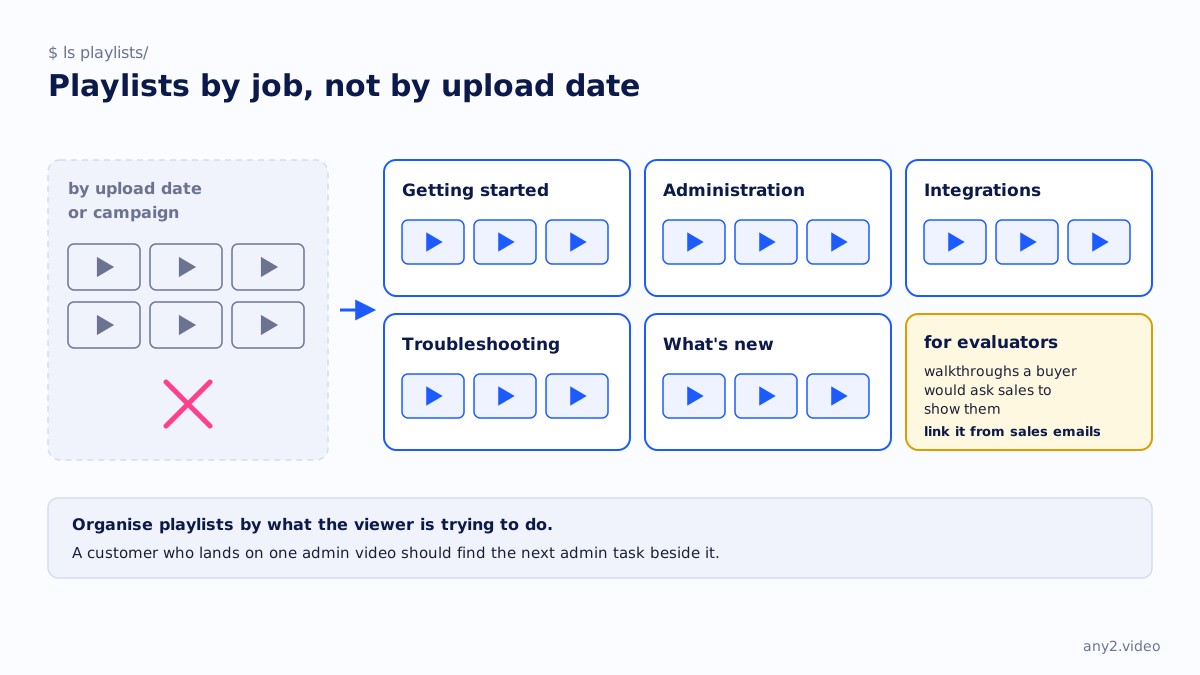
Organise playlists by what the viewer is trying to do, not by upload date or campaign: Getting started, Administration, Integrations, Troubleshooting, What's new. A customer who lands on one admin video should find the next admin task beside it. Keep one playlist for evaluators, the walkthroughs a buyer would ask sales to show them, and link it from sales emails.
A faceless channel, and when a face helps
A screen-only channel with narration works for most B2B software. The interface is the subject, nobody has to be on camera every week, and the same picture can carry narration in another language. Video styles for marketing compares the options.
A face helps where trust in a person is part of the sale: a founder on why the product exists, an engineer on an architecture decision. It costs a recurring calendar slot and makes re-recording harder. Keep walkthroughs screen-only and put faces on a few explainers, so the channel does not depend on one person staying in the role.
Other languages
YouTube offers two routes, checked 15 October 2026. Multi-language audio lets a creator with access to Advanced features upload dubbed audio tracks, made elsewhere, to the same video; viewers hear their preferred language by default and can switch in the player. Automatic dubbing is on by default for eligible creators and dubs English videos into 20 languages, a list without Chinese. Automatic dubs cannot be edited, though a Publish manually setting lets you review them first, and YouTube warns that proper nouns and jargon are hard to translate.
For a product video, jargon is the content. Reviewed captions and a dub made with a glossary are safer than an automatic dub of a video full of menu labels. AI dubbing tools for technical video compares the options, and closed captions vs subtitles explains which file you need.
What to measure
Subscribers and total views say little about a B2B channel. YouTube Analytics reports where views came from, and two reports matter most (YouTube Help, checked 15 October 2026). The YouTube search report shows the terms viewers searched when they found your videos; if those are task names, the channel is working. The external report shows the websites and apps that sent viewers, which tells you whether your docs, emails and support replies are actually linking to the videos.
Outside YouTube, tag the links in each description and count the docs visits, trial sign-ups and demo requests they bring. Ask sales which videos prospects mention. We have no benchmark for a good number; compare each video with your own earlier ones.
An early-stage plan
- List the twenty tasks customers ask about most, from support tickets, sales calls and docs traffic.
- Record the ten most asked first, one task per video, with the product version in the description.
- Add chapters, a written guide and docs links to each, and file them into playlists by job.
- Link each video from the matching docs page and support macro.
- Publish one video per release, and re-record any walkthrough it breaks.
- Cut Shorts from the walkthroughs once they exist.
A steady weekly walkthrough beats a burst followed by silence. Video content strategy for software companies turns a long task list into a schedule. Our own videos live on the any2.video channel; the Proxmox VE 9.2 install shows the walkthrough format.
Should a B2B software company start a YouTube channel?
Yes, if you have tasks people search for and somebody to keep the videos current. Without a re-recording habit, a channel becomes a library of outdated interfaces that sends customers into dead ends.
How often should a B2B company post on YouTube?
As often as you can keep the videos accurate. For most teams that is one walkthrough a week plus one video per release. Covering searched tasks and fixing broken videos matters more than cadence.
Shorts or long-form videos for B2B software?
Long-form walkthroughs first, because they answer the searches that buyers and users actually run. Shorts work as trailers cut from those walkthroughs, pointing to the full video. A Short alone rarely has room to finish a real task.
Why do SaaS YouTube videos get no leads?
Usually because they are product tours with no task, under titles nobody searches for, with no link to the next step. Title each video after a task, finish it on screen, and link the docs or trial in the description's first line.
Send one task your customers search for. We record it on the real product and deliver the video with a written guide and captions, ready for your YouTube channel. The first sample is free.
$ get-sample →